Fax
Fax over IP: T.38 against G.711 pass-through
On this page
- Two ways a fax survives an IP network — what should you know?
- Choose by the line in front of you — what should you know?
- Speed, error correction and the defaults people miss — what should you know?
- Tuning that exists on the OM80E and above — what should you know?
- Wiring and numbering — what should you know?
- What to test, and in what order
Two ways a fax survives an IP network — what should you know?
Fax is a machine talking to a machine in real time. Every packet that arrives late or out of order can break the page, which is why a codec that sounds fine on a voice call can fail completely on a fax. The platform supports both of the industry's answers:
- T.38 - the fax protocol itself is carried over IP, with the modems replaced by protocol messages at each end.
- G.711 pass-through - the fax modem tones are carried as ordinary G.711 audio, and the two fax machines negotiate directly.
The manual states the difference in behaviour clearly: over an analog line, G.711 pass-through is required; where the IP platform supports both, T.38 is the recommended mode.
Choose by the line in front of you — what should you know?
| Situation | Mode |
|---|---|
| Fax machine on an FXS port, call leaving over an analog line (FXO) | G.711 pass-through - required |
| Fax machine on an FXS port, call leaving over an IP trunk that supports both | T.38 - recommended |
| Fax machine on a gateway registered to the PBX | Same rules; the gateway's FXS port behaves like the PBX's own |
| Mixed routing, where a call might leave by either path | Configure both, and let the port selection and route table decide the path |
Pass-through is also a codec-lock problem: it only works when the codec is set to G.711U/20 or G.711A/20 on the path. If the codec list is left wide open and the call negotiates G.729, the fax will fail and the voice call on the same extension will sound perfect.
Speed, error correction and the defaults people miss — what should you know?
The manual treats 33600 bps as the high-speed fax mode, and the error-correction default depends on the speed: at 14400 bps it is off by default, at 33600 bps it is on. Those two settings interact with the line quality in a way that is worth testing at both rates before deciding what the machine is set to.
There is also a setting for allowing the far end to switch to T.38 mid-call, which is the escape hatch for a path that negotiated pass-through and then struggled. Leaving it enabled costs nothing and rescues calls that would otherwise need a retry.
Tuning that exists on the OM80E and above — what should you know?
From the OM80E upwards the fax page carries a set of parameters that the smaller models do not expose. Each of these is a way of trading robustness against speed:
| Parameter | Range and default |
|---|---|
| Send gain | -6 to +6 dB, default 0 |
| Data frame length | 30 or 40 ms |
| Control signalling redundancy | 0 to 6 frames, default 4 |
| Data redundancy | 0 to 2 frames, default 1 |
| Receive side | Send Re-INVITE, or pass-through |
The defaults are already conservative. Change one at a time, and only when the call log shows a specific failure - raising redundancy across the board adds delay to every page.
Wiring and numbering — what should you know?
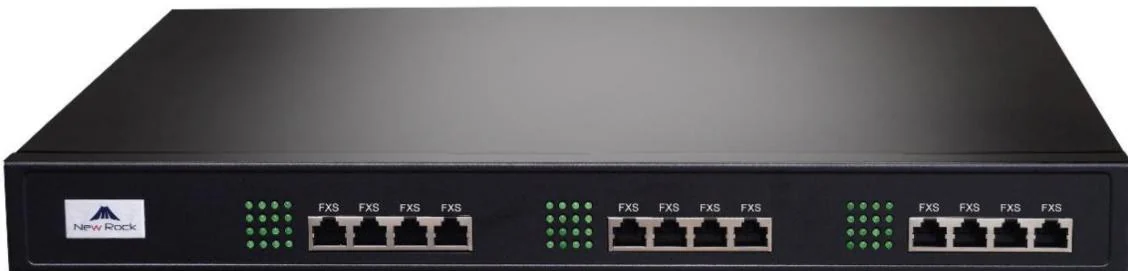
- A fax machine connects to an FXS port, either on the PBX itself or on a gateway registered to it. The GA10 gateway provides one FXS port and two SIP lines, which is enough for a site that has moved everything else to SIP.
- The fax port can be configured as a new port or as a fax function on an existing voice port, so a fax that shares a number with a desk phone stays manageable.
- The manual recommends giving a fax extension its own DID line rather than routing it through the auto attendant. A fax machine cannot press 1 for accounts.
- Analog ports on the OM80E and larger sit on RJ45 sockets broken out into telephone pairs, so the frame wiring should be planned with the same care as the rest of the structured cabling.
What to test, and in what order
- Send and receive at the machine's normal speed, in both directions, with the real document types the site uses.
- Confirm the negotiated codec on the fax path. If it is not G.711 on a pass-through path, fix that before touching any other setting.
- Then test a longer document, which is where timeouts and retries show up.
- Finally, decide the failure mode. A site that keeps one FXO line for fax has a fallback that needs no configuration at all - the call simply leaves over the analog line, exactly as it did before.
Fax is the one service where a modest analog port is often the cheapest engineering decision available. One FXS port and one FXO line can take fax out of the IP conversation entirely, and the rest of the site can move to SIP without a compatibility argument.