
Staff move; the phone does not
Teachers share offices and staff rooms. Ring groups, group pickup across up to 32 departments, and a phone at each shared position keep a number reachable when the person is not at their own desk.
IP Telephony & SIP Communication Systems · Guangzhou, China
Scenarios · education
A school needs two systems that behave like one: a telephone system for staff, and a broadcast and call system that reaches everyone else — classrooms, corridors, the canteen, the playground and the gates. In the design documented here both register to the same IP PBX, so an announcement, a bell and an emergency call all come from one dial plan and one console. The counts scale with buildings and zones rather than with classrooms. NEXVIA designs, manufactures, supplies and commissions the system; the terminals and speakers are manufactured by NEXVIA.
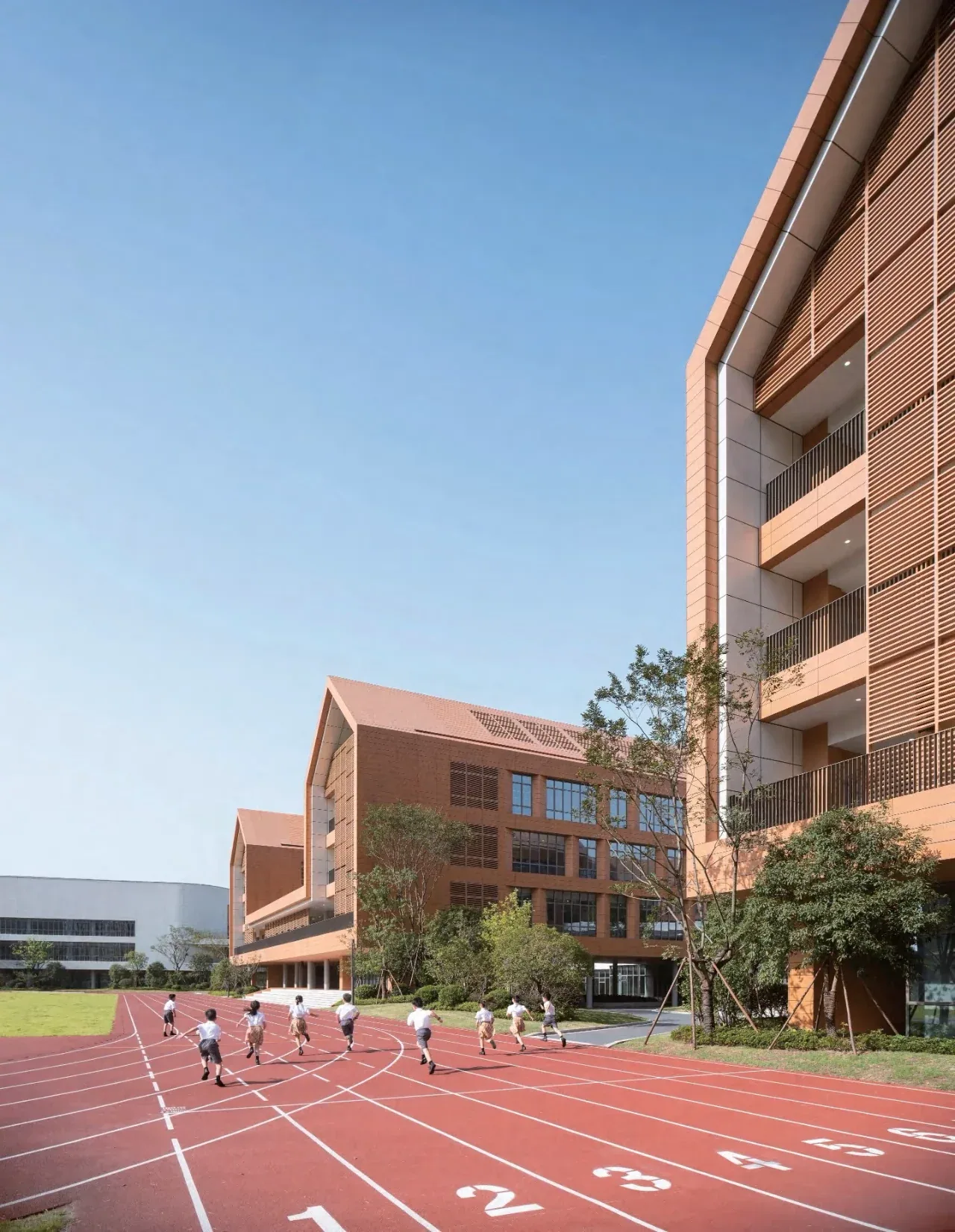
A single school building is typically 20 to 40 staff desk phones, 4 to 8 corridor handsets, 1 paging console, 8 to 20 speakers and 2 to 4 emergency call points — one PBX carries all of it, with 62 SIP trunks on the OM50G. A campus of several buildings repeats those counts per building and moves to the OM200G with 496 trunks or the OM1000-UC with 1000.
The broadcast side is what distinguishes a school from an office: up to 20 multicast zones with prioritisation, scheduled broadcasting using custom time templates, and real-time text-to-speech for messages that are typed rather than recorded. The A201 and A212 speakers also keep an offline timed broadcast running on their own, which is how a bell timetable survives a network interruption.
Emergency calls are counted separately and deliberately: a call point at each gate, each outdoor walkway and each help point — the A10W fits a standard 86 box with one alarm input for an external emergency button and one relay, and the A12V is an IP66 and IK10 outdoor station from −40 °C to 70 °C with an anti-tamper alarm. Prices are not published on this site; NEXVIA quotes per building, per zone and per call-point count.
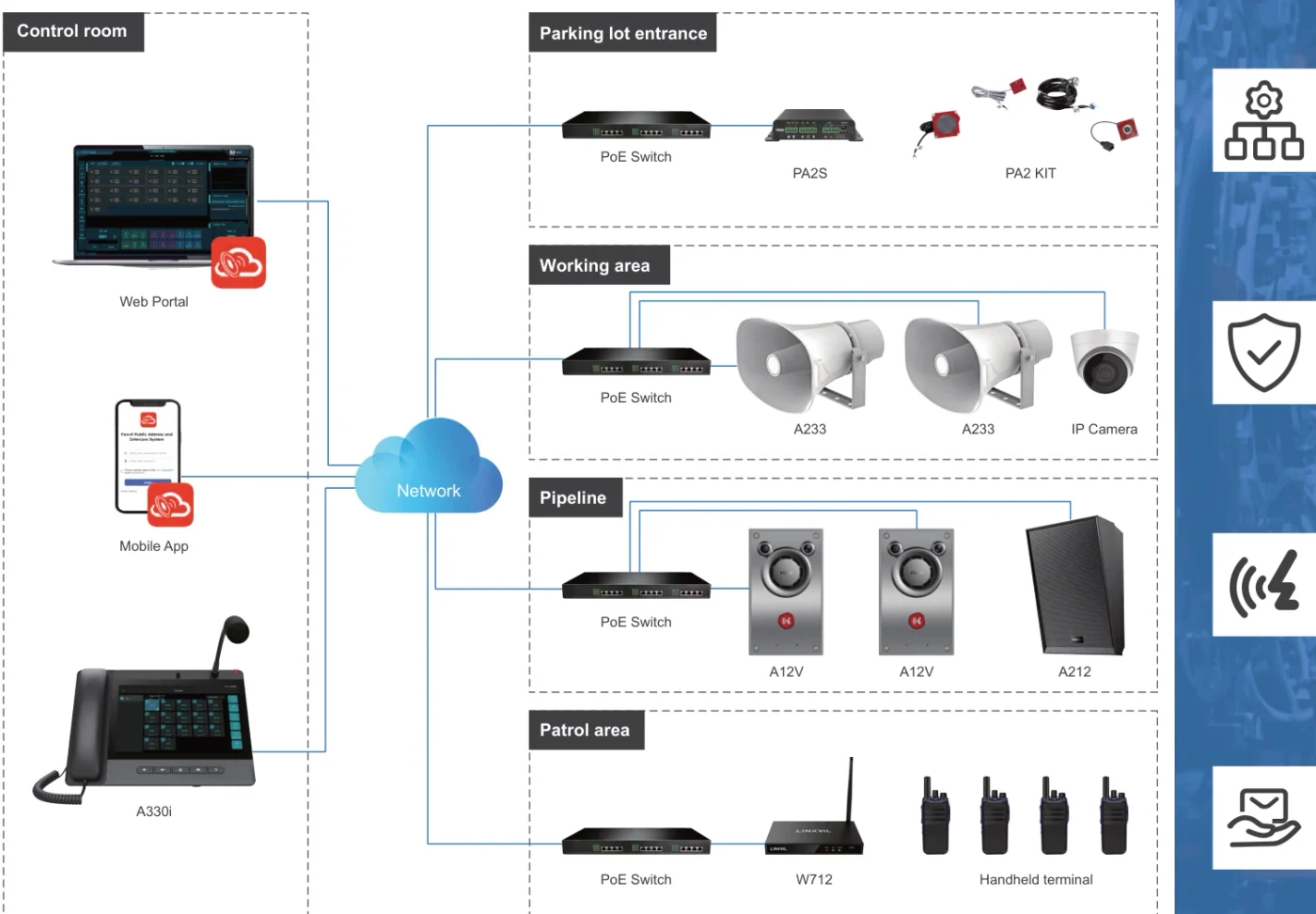
Teachers share offices and staff rooms. Ring groups, group pickup across up to 32 departments, and a phone at each shared position keep a number reachable when the person is not at their own desk.
A campus broadcasts to specific areas: classrooms and corridors separately from the playground and the canteen. Zone management on the console and up to 20 multicast zones with prioritisation across the speaker family are what separate a broadcast from noise.
Calls for help come from a corridor, a lab, a walkway or a gate. The A10W panel fits a standard 86 box, the A12V is an IP66 and IK10 outdoor station, and both register over SIP and can link to a camera over ONVIF.
Announcements follow a timetable. Scheduled broadcasting uses custom time templates, the A201 and A212 speakers support offline timed broadcast, and the advanced paging tier adds real-time text-to-speech for messages that are typed rather than recorded.
| Size band | System | Devices | Notes |
|---|---|---|---|
| Single school building | OM50G — 62 SIP trunks; up to 12 analog ports for a legacy line or a fax | 20–40 staff desk phones, 4–8 corridor handsets (V60G), 1 console (X210i), 8–20 speakers, 2–4 emergency call points | Ring groups hold up to 40 extensions on this model. Capacity is published in SIP trunks, because a maximum extension count is not stated, and the office can keep its existing analog line on an FXO port. |
| One campus, several buildings | OM200G — 496 SIP trunks; up to 96 analog ports on 24-line interface cards | Desk phones per building, wall handsets in corridors and labs, speakers zoned per area, emergency call points at gates and walkways | 4 hot-swap slots and gigabit Ethernet as the paging backbone. Where a building still terminates pairs on a frame, up to 96 analog ports can be fitted, and PT2400 or PT4800 patch panels suit the equipment room. |
| Multi-campus or district deployment | OM1000-UC — 1000 SIP trunks, up to 200 concurrent calls per trunk | The same counts repeated per campus, with one console per site and a shared dial plan across the estate | SIP only, with dual hot standby (3 fixed IP addresses) and multi-site networking using unique or repeatable numbering — the model for an authority that runs its own numbering across sites. |
| Retrofit of an older building | OM50G — 62 SIP trunks | Wall handsets and call points where cabling exists, PN1 2-wire converters where it does not, PA3 or PA2S gateways to the existing speaker line | PN1 carries network and power over an existing two-core cable; the IP endpoint tier is stated to bridge legacy paging systems into the IP environment, so an existing analog speaker line can be reused zone by zone. |
| Sports field, playground or separate sports block | OM200G or OM50G — 496 or 62 SIP trunks | Outdoor horn speakers (A233), outdoor call points (A12V), one console at the site office, portable handsets for staff on duty | A233 is an IP66 horn with 30 W rated output for outdoor coverage; two-way broadcast is not supported by the series, so talkback positions need a model that publishes it, such as the A212. |
| Model | Where it goes | Published capability | Power and mounting |
|---|---|---|---|
| A201 | Classrooms, halls, indoor ceiling coverage | Ceiling SIP speaker with built-in microphone, system self-test, monitoring, two-way voice, offline timed broadcast, up to 20 multicast zones | PoE, PoE+ or DC; the rated output is printed two ways in the source, so the wattage is confirmed on the quotation |
| A212 | Corridors, canteen, gym walls | 8 Ω, up to 15 W class D output; talkback with an omnidirectional microphone; alarm linkage; offline timed broadcast; up to 20 multicast zones with prioritisation | 10/100 Mbps Ethernet with integrated PoE (published as PoE 8 W / PoE+ 15 W); wall mount with optional angle bracket |
| A233 | Playground, sports field, outdoor circulation | Horn speaker with 30 W rated output, built-in microphone for self-test, monitoring, environmental noise detection and two-way voice | IP66; PoE, PoE+ or DC |
| FH-S01 | Ward-style ceiling audio indoors (assembly hall option) | Up to 20 W with a built-in class D amplifier, talkback, customisable WAV for emergency notification, up to 20 multicast zones | PoE to IEEE 802.3af; ceiling mount |
| A10W | Corridor help point, classroom door, stair lobby | Three function keys, 2W speaker with echo cancellation, one relay, one short-circuit input for an external emergency button; one-click call rings the host plus the call-group extensions | Standard 86 box; PoE or 12 V DC; IP54; −10 °C to 50 °C |
| A12V | Gate, walkway, outdoor help point | 4 MP camera with IR night vision, 10W speaker with AEC, 2 short-circuit inputs and 2 outputs; anti-tamper alarm to the control centre | IP66 and IK10, −40 °C to 70 °C; wall or flush mounted; ONVIF and RTSP on the video model |
| i16S / i16SV | Sheltered outdoor or semi-exposed positions | i16SV: HD camera with IR night vision, 1080p, 3W speaker with AEC, 2 inputs and 2 outputs, 2 relays | IP65 and IK10, −30 °C to 60 °C; anti-tamper alarm |
| X210i | Main office paging console | 106 DSS keys across three screens, gooseneck microphone, group broadcasting, 20 SIP lines | Dual Gigabit with integrated PoE; Bluetooth 4.2 |
| A330i | Site office or control room console | 116 DSS keys, 10.1-inch touchscreen, 92 dB speaker, 8 short-circuit inputs, 1 output and 1 RS-485 interface, built-in broadcast system | Dual Gigabit with PoE; Android 14 |
| X6U | Reception and main office | Three screens, 20 SIP lines and five LED line keys, 60 DSS keys | Dual Gigabit with integrated PoE |
| V61G / V60G | Faculty room, library desk, corridor handset | V61G: 2.4-inch 320×240 screen, four lines, dual Gigabit with PoE. V60G: wall-mount handset with 6 keys and dual Gigabit ports | PoE support; V60G is wall-mount only |
| W611W | Duty staff and site supervisors on the move | IP67 Wi-Fi 6 handset, 16 DSS keys and a push-to-talk key, 1900 mAh, up to 9 h talk / 200 h standby | Wi-Fi 6 dual-band 2.4G and 5G; Bluetooth 5.0 |
| Requirement | Conventional analog PA and phone system | This IP design | What changes operationally |
|---|---|---|---|
| Bell and announcement timetable | A bell timer unit wired to the amplifier, or a manual clock | Scheduled broadcasting with custom time templates, plus offline timed broadcast held on the A201 and A212 speakers | The timetable is a configuration, and the speakers keep it if the network drops |
| Zone control | Mechanical zone selector switches on the amplifier | Up to 20 multicast zones with prioritisation, addressed from a console or an IP phone | A single classroom, a floor or the whole campus can be addressed without rewiring |
| Emergency call point | A dedicated alarm button wired back to the office | A10W in a standard 86 box with one alarm input for an external emergency button, ringing the host plus a call group; A12V at gates and walkways with an anti-tamper alarm | A call point is an extension, so it works from places a cable could not previously reach |
| Staff telephony | A separate phone system, separately maintained | The same PBX carries staff extensions on 24 to 1000 SIP trunks, with voicemail, ring groups and call detail records | One system to manage and one dial plan to learn |
| Reaching classrooms | A speaker in every room on the same zone | A speaker per zone, plus a wall handset (V60G) or a wall-mountable desk phone (V61G) where a room needs a telephone | Classrooms get what they need rather than a blanket fit |
| Legacy cabling | Replace the amplifier and the speaker line together | PA3 and PA2S gateways drive the existing passive speakers and legacy analog horn speakers; the IP endpoint tier is stated to bridge legacy paging into the IP environment | The job can be done zone by zone within the budget |
| Records | None | Audio archiving of SIP paging, intercom and calls where the paging tier provides it; call detail records to a server on port 1809 | Announcements and calls can be reviewed after an incident |
| Area | Device | Note |
|---|---|---|
| Main office, reception and paging position | X6U (reception) + X210i console (paging) | X6U: three screens, 20 lines and five LED line keys for the busiest answering position. X210i: 106 DSS keys across three screens with a gooseneck microphone, group broadcasting, 20 SIP lines and dual Gigabit ports with integrated PoE. |
| Staff room, faculty office, library desk | V61G | 2.4-inch 320×240 colour screen, four lines, dual Gigabit with PoE. The range places this model at a classroom or library desk as a wall-mountable build with no wireless radios to manage. |
| Corridor or lab handset | V60G | Wall-mount handset with a 2.4-inch colour screen, six keys and dual Gigabit ports, for calling the office from where staff and students pass. |
| Classrooms, corridors, canteen — announcements | A201 ceiling speaker / A212 wall speaker | Both support up to 20 multicast zones with prioritisation and offline timed broadcast. A212 adds talkback and an external volume knob; the A201 rated output is confirmed on the quotation because the source prints it two ways. |
| Playground, sports field, outdoor circulation | A233 horn speaker | Horn speaker with 30 W rated output and IP66 protection, with a built-in microphone for self-test, monitoring and two-way voice. |
| Classroom doors, stair lobbies and corridors | A10W SIP mini intercom | Standard 86 box, three function keys, 2W speaker with echo cancellation, one relay and one alarm input for an external emergency button; one-click call rings the host plus the call group. |
| Gates, walkways and outdoor help points | A12V outdoor station | IP66 and IK10 from −40 °C to 70 °C with a 4 MP camera and an anti-tamper alarm to the control centre; i16S/i16SV covers sheltered positions at IP65 and −30 °C to 60 °C. |
Count zones, then speakers per zone. A single building usually lands at 8 to 20 speakers: one or two per corridor length, one per hall, one per canteen, and a horn for the playground or sports field.
Yes. The IP endpoint tier is stated to bridge legacy paging systems into the IP environment, and the PA3 and PA2S gateways drive passive speakers and legacy analog horn speakers — so the choice is full IP or hybrid, not rip and replace.
One-touch call points ring the host and the call group: the A10W has an alarm input for an external emergency button, and its one-click call rings the host plus the group extensions. The A12V outdoors reports an anti-tamper alarm to the control centre, as do the A11 and i16 series.
Yes. Scheduled broadcasting uses custom time templates, real-time text-to-speech covers typed messages, and the A201 and A212 speakers keep an offline timed broadcast running on their own — which is what a bell timetable needs when the network or the office is unattended.
Not necessarily. The range includes wall-mount handsets for corridors, labs and staff rooms, and SIP intercom panels for call points. A classroom that does need a phone can take a wall-mountable desk phone such as the V61G, which publishes a 2.4-inch screen, four lines and dual Gigabit ports with PoE.
With a portable handset on the same extensions. The W611W is an IP67 Wi-Fi 6 handset with 16 DSS keys and a push-to-talk key, 1900 mAh and up to 9 hours of talk time; the W620W adds a 3000 mAh battery (up to 13 h / 240 h) and H.264 video preview.
Yes. Terminals support ONVIF and connect to third-party VMS platforms, camera events such as intrusion or loitering can trigger pre-recorded broadcasts, and the A513W puts a speaker and a 4 MP IR camera in one IP66 enclosure for positions that need both.
Typical zone and device plan by area
| Area | Speaker or device | Zone behaviour | Why this device |
|---|---|---|---|
| Classroom block corridors | A201 ceiling or A212 wall | One zone per corridor or per floor | Even indoor coverage; offline timed broadcast keeps the bell running |
| Assembly hall | A201 or FH-S01 ceiling | Own zone with priority over corridors | Higher output and talkback coverage for a large room |
| Canteen | A212 wall | Own zone | Talkback and a volume knob that staff can use locally |
| Playground and sports field | A233 horn | Own zone, outdoor rated | IP66 and 30 W rated output for distance and ambient noise |
| Classroom door or stair lobby | A10W panel | Extension in the office call group | A call point without a desk; one alarm input for an external button |
| Gates and outdoor walkways | A12V | Extension in the site call group with anti-tamper alarm | IP66 and IK10 with a 4 MP camera for identity |
| Office and site office | X210i or A330i console | Paging control and answering position | 106 or 116 DSS keys, gooseneck microphone, group broadcasting |
| Duty staff on the move | W611W handset | Portable extension with PTT | Reaches staff before the announcement does |
A zone plan is what keeps the announcement system usable: without it, every broadcast is campus-wide and staff stop listening.
A school help point is a safeguarding device, so its position, its reachability and its answering procedure are policy decisions before they are technical ones. The published equipment gives the inputs and outputs — one alarm input for an external emergency button on the A10W, 8 short-circuit inputs on the A330i console, 2 in / 2 out on the A12V — but which points are required, how fast they must be answered and who holds the answering duty are set by the school and, in many countries, by education-department guidance. Confirm that procedure with the school's safeguarding lead and write it into the handover document.
Where a public address system is also used for emergency announcements, the interface to the fire detection system and the priority of an alarm announcement over a routine one are regulated locally. The published capabilities that matter are up to 20 multicast zones with prioritisation, one-key alarm activation, alarm light flashing and simultaneous calling to the management unit, and short-circuit inputs on consoles and gateways (PA2S has one built-in relay plus one input and one output; A330i has 8 inputs and 1 output). Have the fire interface designed and signed off by the site's fire contractor — it is not a feature that can be added after handover.
Speakers, panels and consoles are PoE devices, so the switch budget has to cover them: FH-S01 to IEEE 802.3af, A212 published as PoE 8 W / PoE+ 15 W, PA2S to IEEE 802.3af, PA3 to PoE/PoE+ with 12–24 V 2 A DC as an alternative. Outdoor positions must match the site: A233 is IP66 for a playground, A12V is IP66 and IK10 from −40 °C to 70 °C with an anti-tamper alarm, and i16S/i16SV is IP65 from −30 °C to 60 °C. Cable classes and separation rules are local; confirm them before first fix.
The published material records no certification for these products, and this page does not claim one. Whether a school announcement system must meet a national standard, how long camera and intercom images may be retained, whether announcements may be recorded, and what notice pupils and parents receive are all local determinations. A compliant design is one where the school's own compliance owner has confirmed the requirement against local law and education guidance — use this page as the technical input to that review rather than its conclusion.
We have not published a named reference project on this page. The site does not carry customer names or installation records until the client confirms in writing which projects may be made public.
Page author: NEXVIA EngineeringPublished:Last updated:
Covers: school intercom · school intercom system · intercom system for schools · paging system for schools · school public address system
All IP telephony, intercom and paging equipment in this design is supplied and integrated by NEXVIA.
Running an existing platform
Replacing an older system
Explore Products
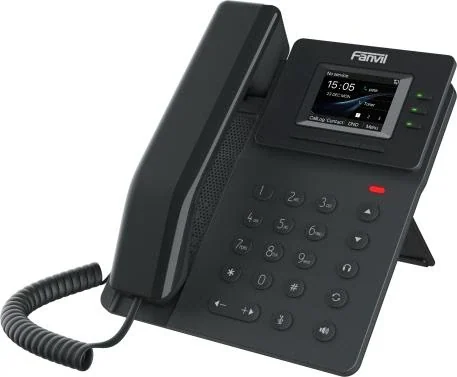
Wall-mount handset with a colour screen, six keys and dual Gigabit ports.
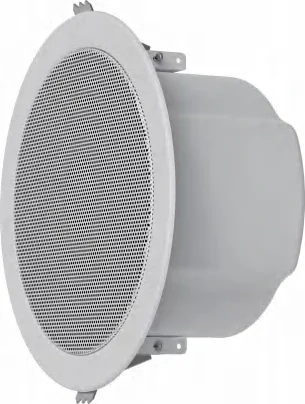
Ceiling speaker for indoor zones, with two-way voice and a built-in microphone.

An outdoor station for gates and entrance posts, in audio and video versions.
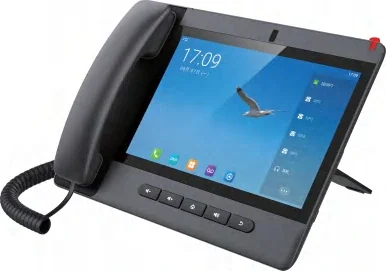
Paging and dispatch console with three screens and a gooseneck microphone.
Send us the site type, the number of extensions or rooms and the areas to cover — we will come back with a configuration and quotation.
Six facts build a configuration: site type, extensions or rooms, simultaneous calls, areas to cover, existing lines and the documents you already hold. Send as many as you know — nothing has to be final before the first reply.