
ATA gateway · analog to SIP
GA10 ATA gateway — put an analog phone on the SIP network
A small analog telephone adapter with two SIP lines and one FXS port, powered over Micro USB, so an existing analog phone can place and receive calls on an IP system.
- Two SIP lines with one FXS (RJ11) port — an analog phone becomes an extension on the IP system
- Three-way voice conference
- DTMF by In-band, RFC2833 or SIP Info; caller ID in Bellcore, ETSI, NTT and DTMF formats
- Codecs: G.722, Opus, G.711A/U, G.729A/B, G.726 and iLBC
- Status LEDs for the FXS port, the network, SIP registration and power
- Linux on board, a single 10/100 Mbps network port, and remote-office access over the internet
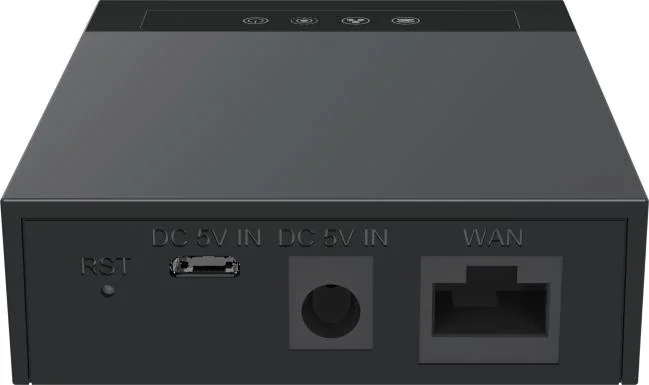
An analog phone, on the IP system
The gateway puts a single FXS port onto the network. The analog phone plugs into the FXS socket and dials as it always did; on the IP side the gateway holds two SIP lines.
- 1 FXS port on an RJ11 socket
- 2 SIP lines
- Linux on board
- Remote-office access over the internet
- Desktop or wall-mounted installation
Call handling and audio
The analog side is covered in the detail the documentation gives: the tone signalling, the caller-ID formats and the codec list.
- Three-way voice conference
- DTMF: In-band, RFC2833 or SIP Info
- Caller ID: Bellcore, ETSI, NTT and DTMF formats
- Codecs: G.722, Opus, G.711A/U, G.729A/B, G.726 and iLBC
Interfaces, power and environment
- Single 10/100 Mbps network port
- Status LEDs for the FXS port, the network, SIP registration and power
- Power over Micro USB at DC 5V/1A
- Operating temperature 0 °C to 45 °C; humidity 10% to 95% RH
PoE is not stated for this model, so we do not claim it. Dimensions, weight and colour are also not stated; confirm the power arrangement on the quotation.
Where it fits on site
Keep the analog phone in place
One FXS port takes the existing handset onto the IP system, with two SIP lines behind it.
Remote or branch office
Remote-office access over the internet lets a small site join the main system with the phone it already owns.
Lobby, gatehouse or back office
A single rugged analog position becomes an extension without a desk-phone purchase.
Specifications
Telephony
| SIP lines | 2 |
|---|---|
| FXS ports | 1 (RJ11) |
| Conference | 3-way voice conference |
| DTMF | In-band, RFC2833 or SIP Info |
| Caller ID | Bellcore, ETSI, NTT and DTMF formats |
| Function | Allows an analog phone to place calls |
Audio codecs
| Wideband | G.722, Opus |
|---|---|
| Narrowband | G.711A/U, G.729A/B, G.726, iLBC |
Interfaces, power & not stated
| Network | 10/100 Mbps, single port |
|---|---|
| Indicators | FXS port, network, SIP registration and power LEDs |
| Operating system | Linux |
| Power | Micro USB, DC 5V/1A |
| PoE | Not stated for this model |
| Mounting | Desktop or wall-mounted |
| Temperature & humidity | 0 °C to 45 °C; 10% to 95% RH |
| Dimensions, weight, colour | Not stated in the source materials |
iSpecifications are taken from the ATA gateway documentation supplied with the range. PoE, dimensions, weight and colour are not stated for this model; confirm those on the quotation.
Choosing between options
| Model | Specifications |
|---|---|
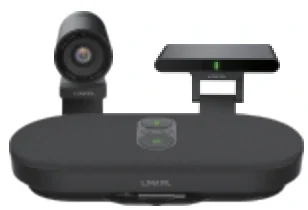
| CA600 | Dual 11-inch touch screens · 12-microphone 360° array · Dual 10W speakers · 4K wireless casting |
| CA400 | 3-piece kit · 4K wireless casting · 8-array microphones · 118.5° wide angle |
| CM60 | 1080p video · USB connection · Adjustable privacy cover · Optional on the X7A |
| DH401B | Weighs 13.6 g · Bluetooth 5.4 multipoint · Dual-mic AI noise reduction · +36 h music from the case |
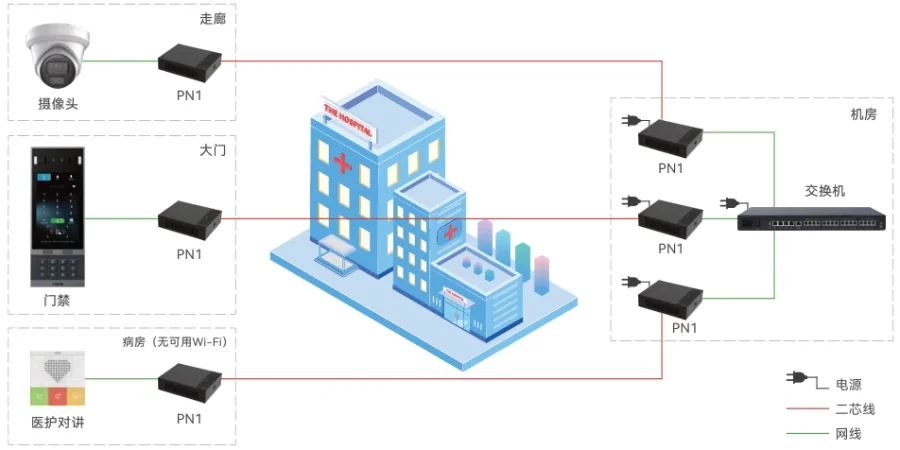
| PN1 | Network + power over 2-wire · Up to 1600 m network run · AC 100–240 V supply · Retrofit converter |
| GA10 | 2 SIP lines · 1 FXS (RJ11) port · Micro USB DC 5V/1A · 10/100 Mbps port |
Compatibility boundaries
This model uses standard SIP and the interfaces listed in the specification table. Confirm the PBX, SIP provider or platform against those interface notes before the order; where the documentation does not state a value, the table records it as not stated rather than estimating. PoE, analog port variants, power options and card compatibility are fixed at order time.
Handover, spares and support
Extension plan, provisioning and interface language can be prepared before dispatch. Remote support continues after handover. Spare-part, warranty and service terms are confirmed in the quotation for the models and quantity ordered, so they are not printed as a single figure here.
Where it sits in the system
Frequently asked questions
Can we keep the analog phones we already own?
How is the GA10 powered?
Does it pass caller ID?
Can it hold a conference call?
Standards referenced
Explore Products
Related products
Planning an IP telephony project?
Send us the site type, the number of extensions or rooms and the areas to cover — we will come back with a configuration and quotation.
Send the site details
Six facts build a configuration: site type, extensions or rooms, simultaneous calls, areas to cover, existing lines and the documents you already hold. Send as many as you know — nothing has to be final before the first reply.
- Reply within one working day
- Configuration + quotation for your site
- Your details are used only to answer this inquiry
Page author: NEXVIA EngineeringPublished: Last updated: