
IP PBX · entry series
OM20G IP PBX — all-in-one office telephone system
A one-box office telephone system with up to four analog ports and 24 SIP trunks. It is the smallest of the OM series and the only one that can dial out over a 3G/4G USB modem.
- Up to four analog ports in one box, ordered as 4 FXS, 4 FXO or a 2+2 mix
- 24 SIP trunks with up to 120 concurrent calls on a single trunk
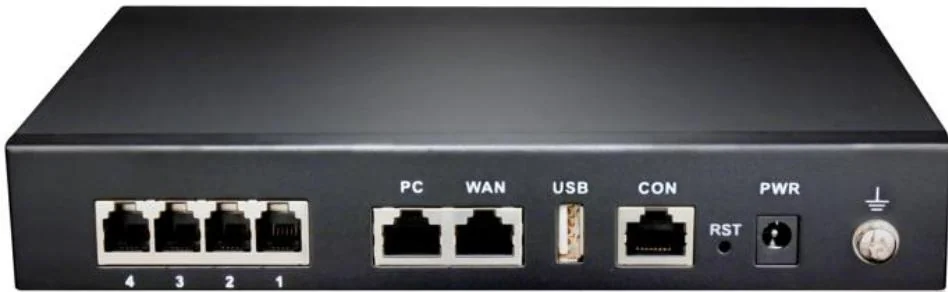
- Two 100M Ethernet ports sharing one IP address, so a PC can sit behind the PBX
- 16 GB internal storage for recordings, voicemail, logs and voice prompts
- Built-in OpenVPN client for reaching a SIP server on a private network
- Supports a 3G/4G USB modem for outbound calls when the wired line fails
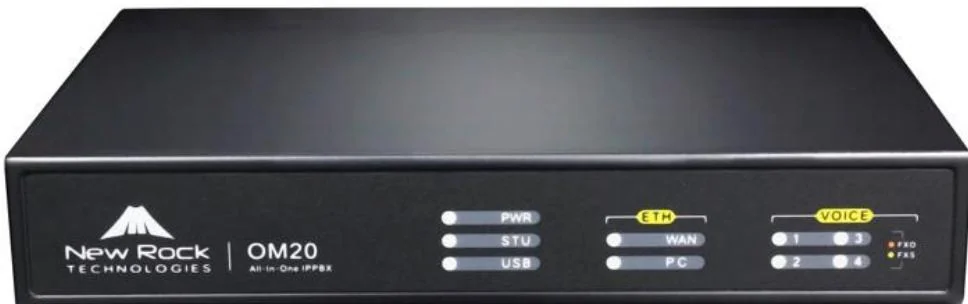
Analog ports, ordered the way you need them
The OM20G takes a single interface card, and the card decides what the four ports are. Order the variant that matches the lines you already have on site.
- OM20G-4S — four FXS ports, for four analog phones or fax machines
- OM20G-4FXO — four FXO ports, for four analog outside lines
- OM20G-2S/2 — two FXS and two FXO, the usual choice when you keep two PSTN lines
Extension numbers start at 200. If the first port is FXO, numbering skips past it.
Keep working when the network drops
Two redundancy features set the OM20G apart from the rest of the range. It is the only model that accepts a 3G/4G USB modem, and it is one of two models with a built-in OpenVPN client.
- USB port accepts a 3G/4G modem — the USB LED flashes green once dial-up succeeds
- PSTN failover: an outbound call over a SIP trunk can fall back to an analog line when it times out or returns 4xx/5xx/6xx
- OpenVPN client is intended only for connecting SIP trunks to a private network
Recording and voicemail without a server
The OM20G can record locally to its own 16 GB storage as well as to a remote recording server — the two larger models in the range record remotely only.
- Local storage is split as 10 GB recording, 3 GB logs, 1 GB voice files, 0.8 GB other
- When free space falls below 500 MB, recordings either overwrite the oldest day or stop, depending on the setting
- Recording codecs are G.711 and G.729
- Voicemail is retrieved by dialling *98 from the extension
Product gallery
Where it fits on site
Small office, 10–30 staff
One box, two PSTN lines, analog fax and the rest on SIP desk phones.
Branch of a larger company
Registers to headquarters over a SIP trunk, with two analog lines kept as a local escape route.
Temporary or remote site
The 3G/4G USB modem keeps outbound calling alive where no wired line is available.
Specifications
Capacity
| Interface cards | 1 |
|---|---|
| Analog extensions (FXS) | 0 / 2 / 4 depending on variant |
| Analog lines (FXO) | 0 / 2 / 4 depending on variant |
| Maximum SIP trunks | 24 |
| Concurrent calls per trunk | 120 |
| Ring group members | Up to 40 extensions |
| Extension numbering | Starts at 200 |
Interfaces & storage
| Ethernet | 2 × 100M (PC + WAN), switched, one shared IP address |
|---|---|
| Default IP | DHCP; falls back to 192.168.2.218 |
| Internal storage | 16 GB |
| USB | USB storage device or 3G/4G modem |
| Console | CON, RJ45 to RS232 with a dedicated cable |
| Power | Adapter supplied with the unit |
Features & management
| Recording | Remote and local |
|---|---|
| Dual hot standby | No |
| OpenVPN client | Built in |
| Ping diagnostics | Yes |
| Extension status subscription | Supported |
| Port capture | Supported, up to 200 seconds |
| Initial admin password | Random, printed on the label on the back of the unit |
iSpecifications are taken from the OM series product manual. Variant availability and final configuration are confirmed on the quotation.
Choosing between options
| Model | Specifications |
|---|---|
| OM20G | Up to 4 analog ports · 24 SIP trunks · 16 GB storage · 3G/4G USB modem |
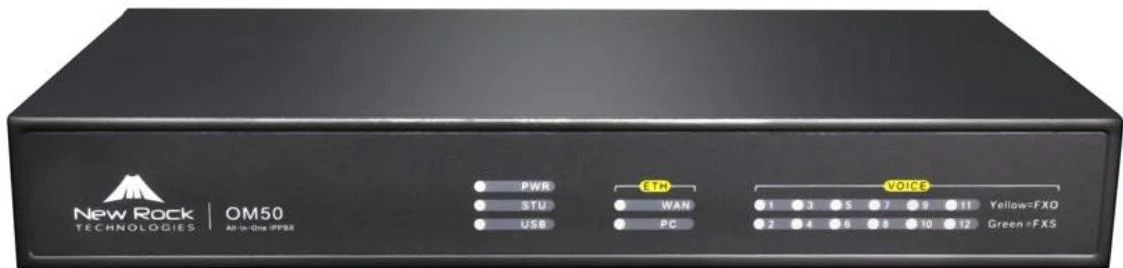
| OM50G | Up to 12 analog ports · 62 SIP trunks · Local + remote recording · OpenVPN client |
| OM80E | Up to 48 analog ports · 216 SIP trunks · AC 100–240 V or −48 V DC · Remote recording |
| OM200G | 4 hot-swap slots · Up to 96 analog ports · 496 SIP trunks · 2 × gigabit Ethernet |
| OM1000-UC | 1000 SIP trunks · 4 × gigabit interfaces · Dual hot standby · DID/DOD support |
Compatibility boundaries
This model uses standard SIP and the interfaces listed in the specification table. Confirm the PBX, SIP provider or platform against those interface notes before the order; where the documentation does not state a value, the table records it as not stated rather than estimating. PoE, analog port variants, power options and card compatibility are fixed at order time.
Handover, spares and support
Extension plan, provisioning and interface language can be prepared before dispatch. Remote support continues after handover. Spare-part, warranty and service terms are confirmed in the quotation for the models and quantity ordered, so they are not printed as a single figure here.
Where it sits in the system
Frequently asked questions
How many phones can the OM20G run?
Can it keep working during an internet outage?
Does it record calls?
What is the default login?
Standards referenced
Explore Products
Related products
Planning an IP telephony project?
Send us the site type, the number of extensions or rooms and the areas to cover — we will come back with a configuration and quotation.
Send the site details
Six facts build a configuration: site type, extensions or rooms, simultaneous calls, areas to cover, existing lines and the documents you already hold. Send as many as you know — nothing has to be final before the first reply.
- Reply within one working day
- Configuration + quotation for your site
- Your details are used only to answer this inquiry
Page author: NEXVIA EngineeringPublished: Last updated: