
Forty rooms, forty chances to lose the telephone
A guest will not report a dead handset, they will simply not use it again. A standard model, a documented dial plan and a spare handset per floor is what keeps a room telephone working all year.
IP Telephony & SIP Communication Systems · Guangzhou, China
Scenarios · hospitality
An economy hotel or a small chain buys telephony on three numbers: the room count, the cost of reaching each room, and how much work the front desk will tolerate. The design on this page is the lean version of the hotel reference — the H series guest-room handsets, a front desk position, wake-up calls and room-status messaging, sized from 10 to 150 rooms on a single OM series PBX. It suits budget hotels, motels, guest houses, hostels and chain properties that standardise one handset model across every room. NEXVIA designs, manufactures, supplies and commissions the system; the PBX and handsets are manufactured by NEXVIA, including the range used throughout this design.
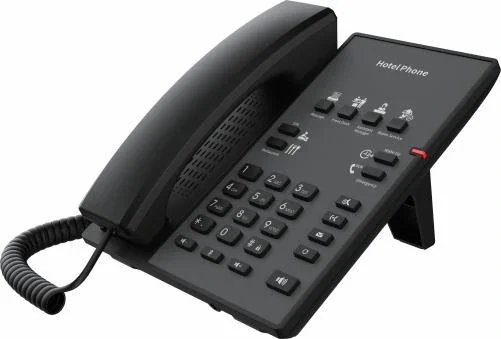
Count one handset per room and one position at the desk. A 40-room budget hotel is about 40 room handsets, 2 front-desk phones and 4 to 6 back-of-house wall phones — roughly 50 devices on one network. The PBX is chosen on trunks: 62 on the OM50G covers a property of this size comfortably, while a 150-room property moves to the 496-trunk OM200G, and one trunk carries up to 120 concurrent calls.
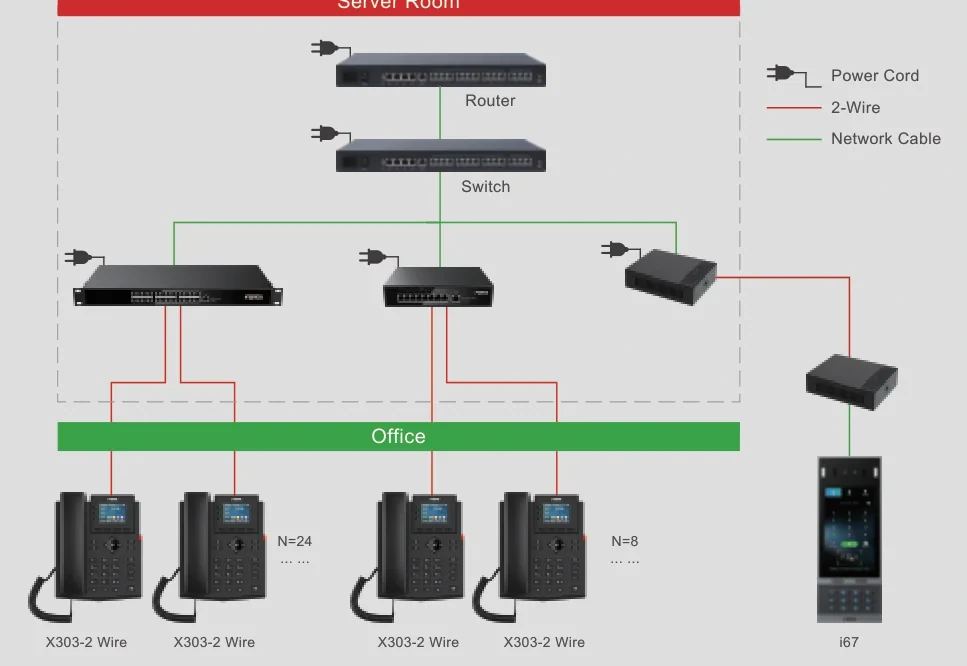
The money is in the wiring and the handset mix, not in the PBX. Where a room has no data outlet, Wi-Fi 6 handsets remove the cable run entirely (H4W, H6W, H602W and H603W publish Wi-Fi 6 on 2.4G and 5G); where the walls hold only two-core cable, the PN1 converter carries network and power over the existing pair and reaches up to 1600 m for the network function without power, with PN8 and PN24 distributing 8 and 24 devices at up to 300 m for network plus power.
The chain agreement is what keeps a budget property cheap to run: one handset model, one dial plan and one wake-up procedure. The H2U gives a two-line handset with 10 speed-dial keys for service hotlines in three colours; the H3W, H4W and H5W add a USB-A charging port, and the H603W is the cordless option on a QC3.0 fast-charge base with 8.1 h talk and 159 h standby in lab figures. Prices are not published on this site — every property is quoted per room count, handset mix and cable condition.
A guest will not report a dead handset, they will simply not use it again. A standard model, a documented dial plan and a spare handset per floor is what keeps a room telephone working all year.
Two documented routes exist for exactly that: Wi-Fi 6 handsets where the room has no data run, and the PN1 converter over the existing two-core pair, with PN8 and PN24 distributing 8 and 24 devices per floor at up to 300 m for network plus power.
Ring groups, group pickup across up to 32 departments, a queue of up to 20 waiting calls and time-of-day routing keep the desk reachable when the property is quiet and the staff are elsewhere.
Standardising the room handset, the front-desk phone and the service keys means one spare list, one firmware cycle and one training pack across properties — the operational saving that makes an economy chain decide on a single model.
| Size band | System | Devices | Notes |
|---|---|---|---|
| Up to 20 rooms — guest house, motel, small hostel | OM20G — 24 SIP trunks; 4 analog ports if a legacy line or a fax is kept | Up to 20 room handsets (H2U / H3W), 1 front-desk phone (V61G / X301G), 2–4 wall phones (V60G), 1 entrance station where the door is staffed | The desktop chassis with one interface card suits a small riser, and the OM20G is the only model that can dial out through a 3G/4G USB modem. Ring groups hold up to 40 extensions. |
| 20–60 rooms — budget hotel or small chain property | OM50G — 62 SIP trunks; up to 12 analog ports across 3 interface cards | Per-room handsets (H3W / H4W), 2 front-desk phones (X6U / X301G), 4–6 wall phones, corridor speakers for announcements | This is the volume band for the H series: one model across every room, with the front desk carrying a 20-line screen phone so room lines and transfer keys stay visible. |
| 60–150 rooms — chain property or resort block | OM200G — 496 SIP trunks; up to 96 analog ports on 24-line interface cards | Per-room handsets, 2–4 front-desk positions, wall phones per service corridor, corridor and lobby paging, 1–2 paging consoles | 4 hot-swap slots, gigabit Ethernet and single or dual AC/DC power; ring groups hold up to 60 extensions, and PT2400 or PT4800 patch panels suit a property that still lands pairs on a frame. |
| Multi-property chain, 150+ rooms in total | OM1000-UC — 1000 SIP trunks, up to 200 concurrent calls per trunk | Per-property room counts on one dial plan, extension ranges per property, one shared wake-up and service-key template | SIP only, with dual hot standby (3 fixed IP addresses) and multi-site networking using unique or repeatable extension numbering — which is how a chain standardises numbering without a chassis per site. |
| Refurbishment on existing two-core cable | OM20G or OM50G — 24 or 62 SIP trunks | Room handsets as above, with PN1 converters at the points that cannot be re-cabled and PN8 or PN24 switches where a floor needs 8 or 24 points | PN1 supplies network and power over a two-core pair and reaches up to 1600 m for the network function without power, at AC 100–240 V. PN8 and PN24 carry 8 and 24 two-wire devices at up to 300 m for network plus power. |
| Model | Room or position | Keys and services | Wireless, power and screen |
|---|---|---|---|
| H2U | Standard room, the volume model | 10 speed-dial keys for service hotlines and 1 programmable key, which can be set to work with a door phone for remote door control | Integrated PoE; desktop or wall mounted with handset and hands-free modes; three colours; no screen stated |
| H3W | Standard room with charging | 6 programmable service keys; one USB-A charging port | Built-in 2.4G Wi-Fi; integrated PoE; two colours |
| H4W | Room with guest Wi-Fi expectations | The source prints 5 and 6 keys for this model, so the layout is confirmed on the quotation | Wi-Fi 6 on 2.4G and 5G with a USB-A charging port; integrated PoE; faceplate customisation; two colours |
| H5W | Room with a screen | 6 programmable service keys; 3.5-inch 480×320 screen | Built-in 2.4G Wi-Fi; PoE with one USB-A port; receives video calls in H.264; two colours |
| H6W | Premium room in a budget property | 5 service keys named for housekeeping, ticket booking, the switchboard, dining and wake-up call service | 3.5-inch 320×480 screen, Wi-Fi 6 on 2.4G and 5G, USB-A charging, integrated PoE, AP mode in which the handset also acts as a room router; two colours |
| H602W | Room wired for DC power | 6 programmable service keys including wake-up call service | Wi-Fi 6 with a DC supply and a 10/100 Mbps port; magnetic handset; faceplate customisation |
| H603W | Suite or room where the handset travels | 6 programmable service dials and a three-colour status light | Cordless on a QC3.0 fast-charge base; Wi-Fi 6; voice reminder if the handset is left off the base; lab figures 8.1 h talk / 159 h standby |
| HS118PNB / HS108-PS | Desk and back-office positions | HS118PNB: 10 programmable keys, 2 SIP accounts, a hotline function and a message LED. HS108-PS: 1 SIP account and 19 keys with volume, mute, flash, redial and hold | Both run on PoE IEEE 802.3af class 0 with G.722 wideband audio; HS108-PS is 196×65×65 mm and mounts on a wall or a desk |
| V60G | Kitchen, stores, laundry and service corridors | 6 DSS keys; wall-mount only | 2.4-inch 320×240 colour screen with dual Gigabit ports; PoE support |
| X6U / X301G | Front desk and back office | X6U: three screens, 20 SIP lines and 60 DSS keys. X301G: two lines with dual Gigabit ports and PoE | Both take dual Gigabit ports with integrated PoE; X6U adds Bluetooth 4.2 |
| Requirement | Conventional analog hotel PBX | This IP design | What changes operationally |
|---|---|---|---|
| Room handset wiring | One dedicated pair per handset back to the frame | One cable run per position with power and data together (PoE published on the H2U, H3W, H4W, H5W and H6W), a Wi-Fi 6 handset where there is no cable, or PN1 over the existing two-core pair | A refurbished floor does not need a new frame position |
| Adding or moving a room phone | A new pair and a new port on the switchboard | A SIP extension created in a batch; the handset provisions over DHCP option 66 or TR069 | Room changes are configuration work |
| Wake-up calls | A separate wake-up unit or a manual list at the desk | A named service key on the H6W, H602W and H603W, plus a system wake-up feature with its own voice prompt file | The desk sets and sees wake-ups from the operator position |
| Room status for housekeeping | Manual board or a separate system | An extension dials a feature code and the state is pushed to a property management system over the system message channel | Housekeeping status is visible without a second system |
| Front-desk visibility | A lamp field wired per extension, or nothing | Extension status subscription on the OM20G, OM50G and OM1000-UC with idle, ringing, in-call and offline states, in groups of up to 5 members | A busy-lamp field appears on the screen without an indicator panel |
| Guest calls and records | Printed tickets or a separate logger | Call detail records pushed to an external server on port 1809; the hotel management docking module covers guest call records, wake-ups and call permission control | Disputes are answered from a record |
| Chain standardisation | A handset per property, wired per property | One handset model, one dial plan and one service-key template across properties, networked with unique or repeatable numbering | A new property is commissioned from a template |
| Area | Device | Note |
|---|---|---|
| Standard guest room | H2U (H3W where guests expect a charging port) | H2U: two SIP lines, 10 speed-dial keys for service hotlines and one programmable key that can work with a door phone, with integrated PoE, three colours and desktop or wall mounting. H3W adds 6 service keys, a USB-A charging port and 2.4G Wi-Fi on PoE. |
| Room with Wi-Fi expectations | H4W | Wi-Fi 6 on 2.4G and 5G with a USB-A charging port and integrated PoE; the source prints different key counts for this model, so the layout is confirmed on the quotation. Faceplate customisation is published. |
| Room where the handset travels | H603W | Cordless handset on a QC3.0 fast-charge base with 6 programmable service dials, Wi-Fi 6, a three-colour status light, a voice reminder if the handset is left off the base, and lab figures of 8.1 h talk and 159 h standby. |
| Front desk | X6U or X301G | X6U: three screens with 60 DSS keys, five LED line keys and 20 SIP lines on dual Gigabit PoE. X301G: a two-line entry set with dual Gigabit ports and PoE where the desk only needs basic telephony. |
| Back office and manager | HS118PNB | 10 programmable keys, 2 SIP accounts and a hotline function with a message LED, on PoE IEEE 802.3af class 0 with G.722 wideband audio; the programmable field suits a list of supplier and staff numbers. |
| Kitchen, stores and laundry | V60G wall handset | Wall-mount only, with a 2.4-inch 320×240 colour screen, 6 DSS keys and dual Gigabit ports, for a call position where a desk phone has nowhere to sit. |
| Riser or floor distribution on old cable | PN1 converter, PN8 or PN24 2-wire switch | PN1 carries network and power over an existing two-core pair, up to 1600 m for the network function without power at AC 100–240 V. PN8 carries up to 8 devices and PN24 up to 24, at up to 300 m for network plus power. |
One handset per room first, then the operational positions: a 40-room property lands at about 40 room handsets, 2 front-desk phones, 4 to 6 wall handsets for kitchen, stores and laundry, and one entrance station where the door is staffed — roughly 50 devices in total.
Yes, in two documented ways. Six models in the range carry the radio themselves (H3W, H4W, H5W, H6W, H602W and H603W), so no cable is needed at the position; where the wall has only two-core cable, the PN1 converter carries network and power over the existing pair.
Wake-up call service is one of the named service keys on the H6W, H602W and H603W, and the PBX runs wake-up calls as a system feature with its own voice prompt file. The desk sets the time against the room extension from the operator position, and the call is placed to that extension rather than announced floor-wide.
Yes. Room status is pushed to a property management system when an extension dials a feature code: the state travels over the system message channel. The hotel management docking module is documented for guest call records, wake-ups and call permission control.
One handset model and one template. Standardising on the H2U across every room keeps spares, faceplates and staff training to one item; the H2U is offered in three colours, has 10 speed-dial keys and one programmable key that can work with a door phone, and needs integrated PoE only.
Internal calls keep running on the local network, and analog lines wired to FXO ports keep working directly. An outbound SIP call can also be set to fall back to an analog line automatically when the trunk fails.
Yes, and that is normal for a refurbishment. Rooms are converted floor by floor, with the new handset on the existing pair where PN1 is used or on a new data run where the floor is open, and the old analog handsets stay in service on FXS ports until their floor is done.
The H series, by what the room needs
| Room need | Model | What it adds | What to confirm |
|---|---|---|---|
| Basic service keys | H2U | 10 speed-dial keys, 1 programmable key, 3 colours, integrated PoE | No screen is stated for this model |
| Charging a guest phone | H3W | 6 service keys, USB-A charging port, 2.4G Wi-Fi | 2.4G Wi-Fi only; no screen |
| Guest-grade Wi-Fi | H4W | Wi-Fi 6 on 2.4G and 5G, USB-A charging, faceplate customisation | The source prints 5 and 6 keys for this model |
| A screen at the bed | H5W | 3.5-inch 480×320 screen, H.264 video receive, USB-A charging | 6 service keys; 2.4G Wi-Fi |
| Screen plus router mode | H6W | 3.5-inch 320×480 screen, Wi-Fi 6, AP mode, 5 named service keys | Two colours; 2 SIP lines |
| Suite or guest who moves | H603W | Cordless on a QC3.0 base, voice reminder, 6 service dials, three-colour status light | Lab figures 8.1 h talk / 159 h standby |
Standardise on as few models as the property will accept. Every extra model is another spare, another faceplate and another set of instructions at the desk.
How a room position is reached, by the cable that already exists
| Route | What carries it | Published limits | When it fits |
|---|---|---|---|
| Network cable to the position | Data and PoE power on one run | Integrated PoE on H2U, H3W, H4W, H5W, H6W | A refurbishment that opens the walls anyway |
| No cable at all | The handset radio reaches the property Wi-Fi | Wi-Fi 6 dual-band on H4W, H6W, H602W, H603W | Rooms where a data run would damage the finish |
| Existing two-core cable | PN1 converter: network plus power over the pair | Up to 1600 m for network without power; local supply AC 100–240 V | Historical buildings and stone-walled floors |
| Many 2-wire points on a floor | PN8 or PN24 2-wire switch | Up to 8 or 24 devices; 300 m for network plus power | A whole floor converted without new riser cable |
| Pairs still on the frame | Analog ports on the PBX | 4 / 12 / 48 / 96 ports on OM20G / OM50G / OM80E / OM200G | A property keeping analog room handsets for a final phase |
Measure the cable at survey and choose the route per room rather than per property; a mixed floor is the normal result, not a compromise.
Room extensions produce records: call detail records pushed to an external server on port 1809, room status messages to a property management system and, where recording is enabled, audio in G.711 and G.729. Guest privacy rules, the notice owed to guests, what may be recorded and how long records are kept differ by country and are the property own responsibility. Design the minimum the operation needs, write the retention rule into the property procedure, and review any recording feature against local law before it is switched on. Nothing on this page is a compliance determination.
Room runs should be terminated and tested as structured cabling, and where analog ports are used the interface cards connect to a patch panel over Cat5 Ethernet cable. PoE is not universal in the handset range: integrated PoE is published for the H2U, H3W, H4W, H5W and H6W, while the H602W is a DC-supplied position with a 10/100 Mbps port. Budget the switch ports per floor against the models actually chosen, and confirm cable classes and outlet rules with the property consultant before the riser is closed up.
Which number a guest call reaches in an emergency, who answers out of hours and how a call escalates when nobody does are decisions the property has to make and test. The platform supplies the tools — an operator position accepting up to 5 numbers, ring groups in three modes, a queue of up to 20 waiting calls, time-of-day routing in up to 3 periods per day and separate working-hours and off-hours prompts — but the order of answering is a property procedure. Write it down and test it with the front desk before handover, and confirm local emergency-number and routing requirements with the property own adviser.
The published material behind this page records no third-party safety certification for these products, and this page makes no certification claim. Telephone regulation, what may be connected to the public network, fire-alarm interfaces to any paging, mounting heights and cabling rules all vary by country. A compliant budget property design is one the property own engineer and adviser have checked against the local code and the operator requirements — treat this page as the technical input to that review rather than as its conclusion.
We have not published a named reference project on this page. The site does not carry customer names or installation records until the client confirms in writing which projects may be made public.
Page author: NEXVIA EngineeringPublished:Last updated:
Covers: economy hotel phone system · hotel voip phone · small hotel phone system · hotel phone suppliers · budget hotel phone system
All IP telephony, intercom and paging equipment in this design is supplied and integrated by NEXVIA.
Running an existing platform
Replacing an older system
Explore Products
Ten service keys and door-phone control for rooms that need a fixed contact list.
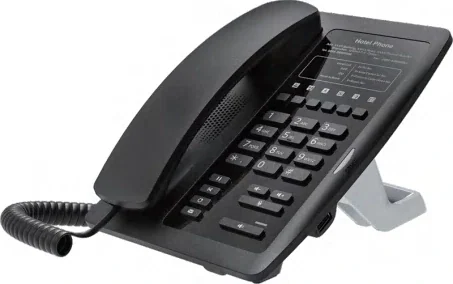
Six service keys plus Wi-Fi, so the phone does not depend on a data outlet.
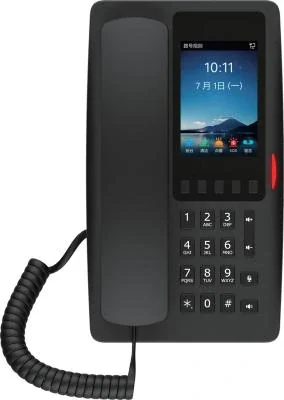
A cordless guest handset with a QC3.0 charging base and service dials.
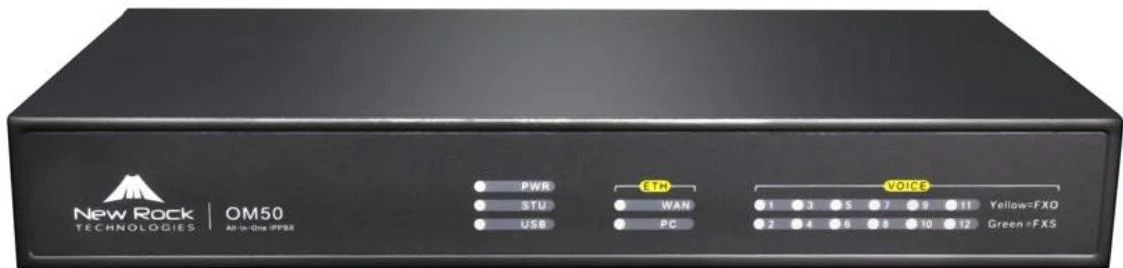
Three interface cards and 62 SIP trunks for offices that keep their analog lines.
Send us the site type, the number of extensions or rooms and the areas to cover — we will come back with a configuration and quotation.
Six facts build a configuration: site type, extensions or rooms, simultaneous calls, areas to cover, existing lines and the documents you already hold. Send as many as you know — nothing has to be final before the first reply.