Deployment
From enquiry to acceptance: how a project runs
Who does what — what should you know?
NEXVIA designs, manufactures, supplies and commissions the system; the exchanges and terminals themselves come from our own production line. That division matters to a buyer, because it defines what we are accountable for: the design decisions, the integration, the configuration and the proof that the system works - not the manufacturing of any individual device.
A project runs through the same eight stages whatever its size, and the useful thing about writing them down is that most disputes are really a stage that was skipped.
1. The enquiry: five answers — what should you know?
An enquiry that arrives with five answers can be designed; one that arrives with a drawing cannot. The five are:
- Positions. Every place a handset, console or softphone has to ring, including door stations and warehouse handsets.
- Simultaneous outside calls at the busiest hour. This sets the trunk requirement, and it is usually far smaller than the position count.
- Analog devices that must survive. Fax, lift, alarm dialler, a plant-room handset. These need physical ports or gateways.
- Recording: required, and where it may live. Recording runs in G.711 and G.729; local on-box recording exists only on the OM20G and OM50G, and everything larger records to a server.
- Sites. One building or several, and whether each keeps its own numbers.
2. The survey — what should you know?
Numbers come from the customer; the survey confirms the things numbers cannot. Cable condition and pair count at each position. Measured distances, because a 2-wire run is quoted at 300 m for network plus power and 1600 m for network only, and the difference is a route rather than a straight line. Where the equipment room is, whether it has power and earthing, and whether the operator's pairs terminate there. Which doors, gates and lifts need coverage. What the site's own IT can offer in the way of PoE switching and addressing.
3. The design pack — what should you know?
The design pack is the document that makes the rest of the project arguable. It contains:
- The PBX model, chosen from published capacity - 24, 62, 216, 496 or 1000 SIP trunks, with up to 120 concurrent calls per trunk and 200 on the OM1000-UC.
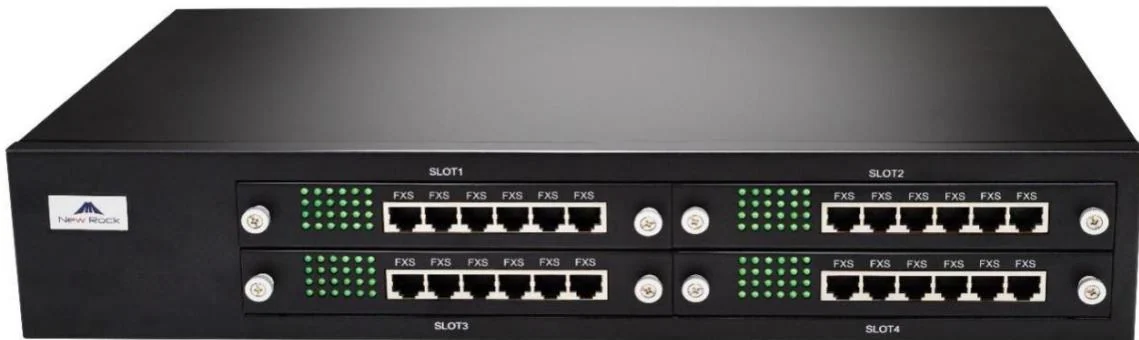
- The analog port allocation - the card mix from 4 ports on the OM20G to 96 on the OM200G, and a gateway such as the GA10 wherever a SIP-only core meets a legacy device.
- The extension plan and dial plan, numbered from 200, with the routing table designed rather than grown: 500 entries, applied top to bottom.
- The IP and VLAN plan, the PoE budget and the switch list, with a spare allowance counted before the switches are ordered.
- The label schedule - the least glamorous document in the pack and the one that decides whether the next engineer can work on the site.
- The test schedule, agreed before installation, so acceptance is a checklist rather than an opinion.
4. Staging and configuration — what should you know?
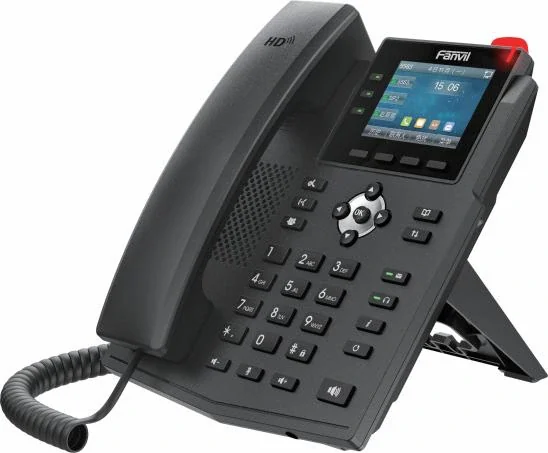
Where the equipment is configured before it travels, the site sees almost none of this stage. Extensions are created in batches - a starting number and a quantity - with either random or shared registration passwords, which is how a hundred-position numbering plan takes an afternoon instead of a week. Handsets then register with the server address, port 5060 by default, the extension number as both username and authentication user, and the registration password. Sites that prefer zero-touch provisioning use DHCP option 66 or TR069, with the update cycle configurable and a 3600-second default.
5. Installation
- The PBX is grounded and the analog lines terminate on a protected patch panel where the model requires one.
- PoE switches and cabling are installed and labelled; the emergency room and the risers get the same treatment as the desks.
- Analog ports on the OM80E and above arrive on RJ45 sockets broken out into telephone pairs, so the frame work is planned like the data work.
- Where a 2-wire retrofit is in the design, the converters and switches go in at the riser or floor cabinet, with their supplies.
6. Commissioning tests
These are the tests that turn an installation into a system. Work through them in this order, because each one depends on the last:
- Registration and internal calls on every extension, both directions.
- Outbound and inbound calls on every trunk, then the analog escape route: force a SIP call to fail and confirm it leaves on copper. The documented trigger is a timeout or a 4xx, 5xx or 6xx response, with 401, 404 and 422 excluded.
- Redundancy if it is in the design: the second Ethernet port as a redundant link, taking over in about 1.75 seconds; or, on the OM1000-UC, the dual hot standby pair.
- Operator and groups: extension 200 answering with up to five numbers, calls falling to it after 24 seconds, ring groups distributing and queueing - 20 waiting calls - and department pickup across up to 32 departments.
- Voicemail: retrieve a message by dialling *98, and confirm the file name matches the codec in use.
- Fax in both directions, at the machine's normal speed, with the codec locked to G.711U/20 or G.711A/20 on a pass-through path.
- Recording and call records: recordings in G.711 or G.729 to the recorder on port 1311 by default, and call detail records to the external server on port 1809.
- The scenario features: wake-up calls and room status to the property's system, or the nurse call chain with its password, corridor light and handset transfer.
- Door and lift positions: call, release, and every credential, with the door contact reporting.
7. Acceptance
Acceptance is the test schedule signed line by line, with the site's own staff operating the system rather than watching. Two extra checks belong here: a configuration export stored somewhere other than the PBX, and a walk of the label schedule against the physical positions.
8. Handover
The handover pack is the extension list, the dial plan, the routing table, the analog allocation, the IP plan, the PoE budget, the switch list, the network diagrams, the configuration export and the location of the administrative credentials. Then training: reception staff need the operator position and the transfer codes; nursing or housekeeping staff need the call types and the escalation path; the site's IT needs the addressing, the ports and the fact that voice now lives on its network.
None of these stages is complicated on its own. The projects that go wrong are the ones where a stage was left out and discovered late - which is why the design pack and the test schedule exist, and why both are agreed before anything is installed.