
Care range · wireless button
KT10 wireless emergency button — pendant call button for care rooms
A wearable, self-powered button that raises a call through a Y501/Y501-Y bedside station or an X305 big-button phone over a 433 MHz radio link — no battery to replace and no cable to pull.
- Pendant-format wireless button for a one-press call from the bedside or from within the room
- 433 MHz radio link with a working range of 6–25 m
- Self-powered with no battery, so nothing is charged or replaced
- Pairs with the Y501 / Y501-Y Series bedside intercom and the X305 big-button phone
- Up to 10 wireless buttons (KT10, KT20, KT30) can be connected to one station
- One button, used as a push button or as an emergency call button
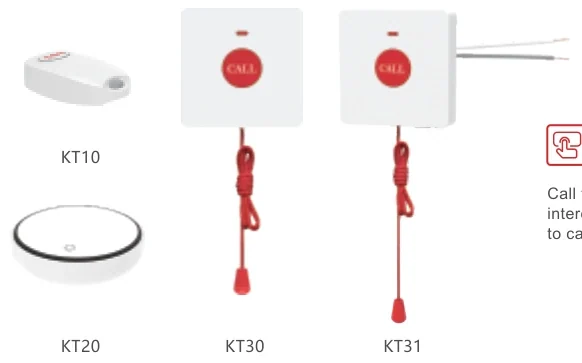
Where the button sits in the call flow
The button itself is not a SIP device. It sends a radio signal to a station in the room — a Y501 / Y501-Y bedside intercom or an X305 big-button phone — and that station places the call over the network to the nurse station console.
- Call type is shown by colour and flashing pattern: a slow flash for staff presence and staff assist call, a quick flash for toilet emergency call and code blue
- Incoming calls are amplified through ceiling or wall speakers, so staff hear them away from the desk
- The console can push the call status and room number to the corridor display
- When the nurse station is unattended, calls can be transferred to a portable Wi-Fi handset
The alert scheme above is the one the solution deck documents for the nurse call system as a whole; the KT10 triggers it through its host station.
Radio, range and pairing
- Frequency: 433 MHz
- Working range: 6–25 m
- Host devices: Y501 / Y501-Y Series intercom and the X305 big-button phone
- Up to 10 wireless buttons per station, counted across the KT10, KT20 and KT30
- Self-powered — there is no battery in the KT10
- The same 433 MHz button family also covers the bathroom call point (KT30 pull cord)
Nothing is wired to the point of call: the button is the only part of the chain that is wireless end to end.
What the source does not state
- Protection rating (IP) for the KT10 — not stated; the model is listed as an indoor button
- Dimensions and weight — not stated
- Mounting hardware and fixings — not stated
- SIP registration — not applicable; the button calls through its host station
Where a fact is missing we do not fill it in. Ask us and we will check it against the current documentation before you specify.
Where it fits on site
Bedside call point
The resident keeps the button on hand, and one press raises a call through the bedside station.
Room served by a big-button phone
Up to ten buttons can be paired to one X305, covering several positions or several people in the same room.
Room and bathroom together
The same 433 MHz family adds a bathroom pull cord (KT30) to the bedside button, so both call points sit on one station.
Specifications
Radio & pairing
| Frequency | 433 MHz |
|---|---|
| Working range | 6–25 m |
| Host devices | Y501 / Y501-Y Series intercom, X305 big-button phone |
| Buttons per station | Up to 10 (KT10, KT20, KT30) |
| SIP | Not applicable — the button calls through its host station |
Physical & power
| Format | Pendant / wearable |
|---|---|
| Buttons | 1 |
| Power | Self-powered, no battery |
| Protection rating | Not stated for this model |
| Dimensions & weight | Not stated in the source materials |
iSpecifications are taken from the care solution deck and the product guide for this range. KT10 is a radio button, not a SIP phone — its behaviour is configured on its host station. The photograph shows the KT10 alongside the other call points in the range; ask us for a close-up of the button on its own.
Choosing between options
| Model | Specifications |
|---|---|
| KT10 | 433 MHz · 6–25 m range · Self-powered, no battery · Up to 10 per station |
| KT30 | IP65 · 2 m pull cord · 433 MHz · 6–25 m range |
| KT31 | IP44 · 2 m pull cord · No power needed · Y501 series host |
| X305 | 3.5" 320×240 screen · Braille digit keys · 4 speed-dial keys · Dual gigabit + PoE |
| X306 | 3.5" 320×240 LCD · Wi-Fi 6 dual-band · Bluetooth 5.0 · Braille digit keys |
| A308i | 7" 1024×600 · 20 SIP lines · 116 DSS keys · 90 dB speaker |
| A320i | 10.1" touchscreen · 20 SIP lines · 116 DSS keys · Up to 100 devices |
| A330i | Android 14 · 10.1" touchscreen · 116 DSS keys · 8 in / 1 out + RS-485 |
| A308 | 7" 1024×600 · 5 MP camera · Android 9.0 · Gigabit port |
Compatibility boundaries
This model uses standard SIP and the interfaces listed in the specification table. Confirm the PBX, SIP provider or platform against those interface notes before the order; where the documentation does not state a value, the table records it as not stated rather than estimating. PoE, analog port variants, power options and card compatibility are fixed at order time.
Handover, spares and support
Extension plan, provisioning and interface language can be prepared before dispatch. Remote support continues after handover. Spare-part, warranty and service terms are confirmed in the quotation for the models and quantity ordered, so they are not printed as a single figure here.
Where it sits in the system
Frequently asked questions
Does the KT10 need wiring or a battery?
How far does the button reach?
How many buttons can one room have?
Is the KT10 a SIP phone?
Standards referenced
Explore Products
Related products
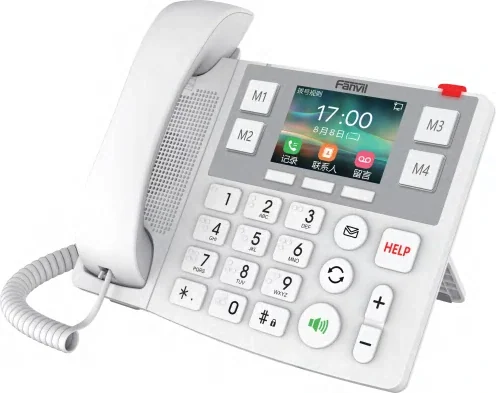
X305
Big-button care phone with Braille digits, picture keys and a HELP button.
- 3.5" 320×240 screen
- Braille digit keys
- 4 speed-dial keys
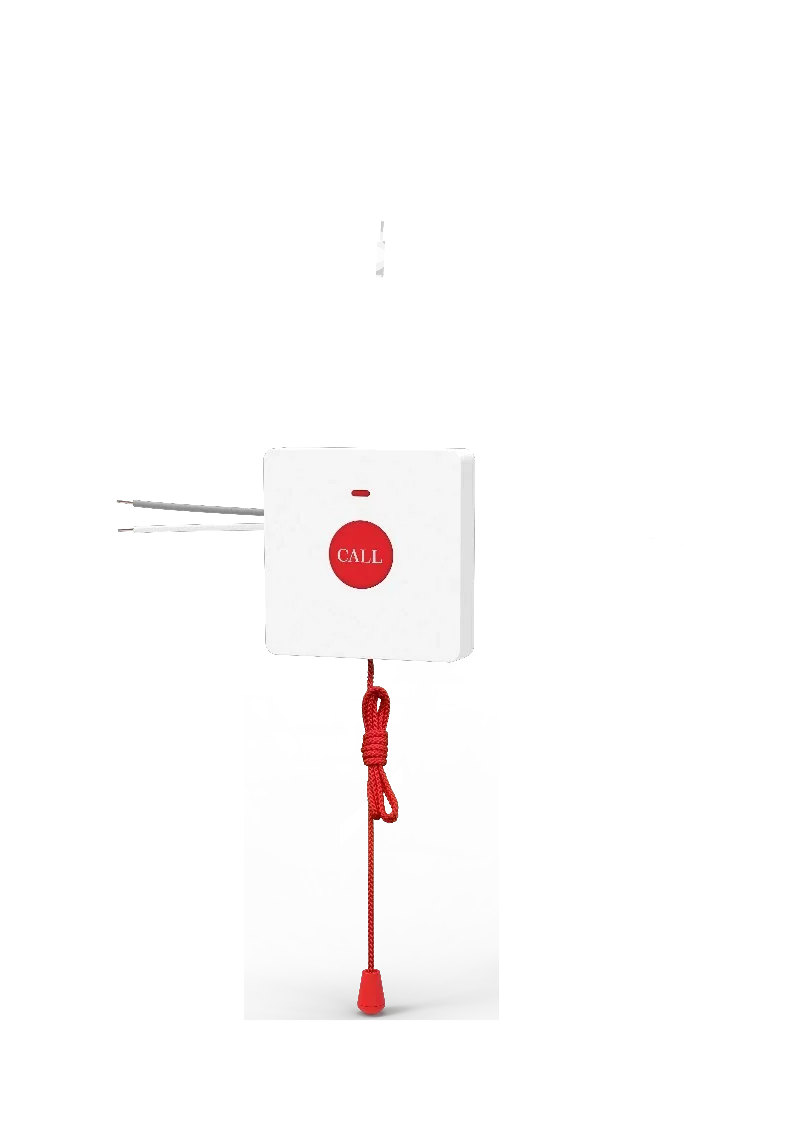
KT30
Wireless bathroom call point with a 2 m pull cord and IP65 protection.
- IP65
- 2 m pull cord
- 433 MHz
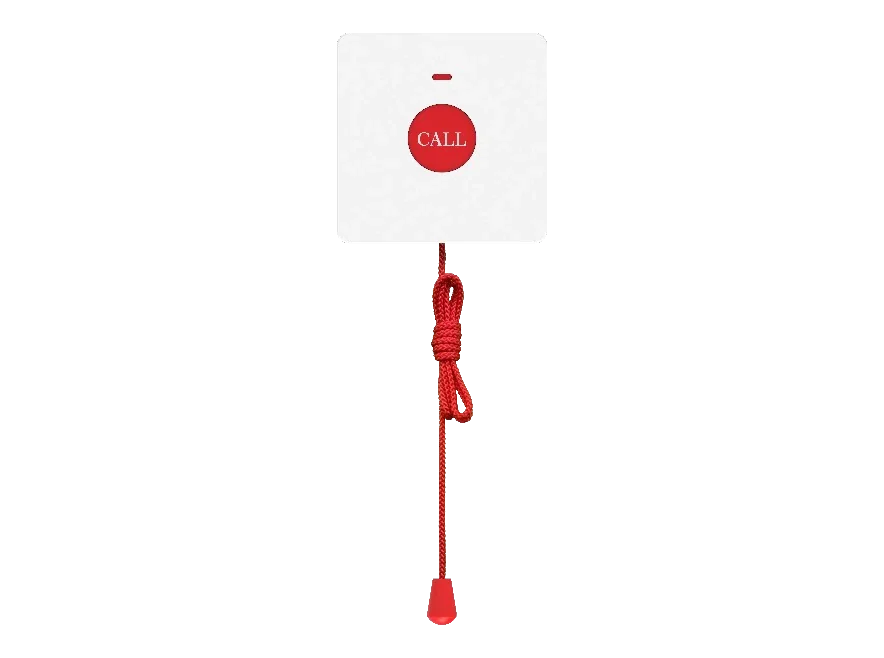
KT31
Wired bathroom call point — no power needed, 2 m pull cord, IP44.
- IP44
- 2 m pull cord
- No power needed
Planning an IP telephony project?
Send us the site type, the number of extensions or rooms and the areas to cover — we will come back with a configuration and quotation.
Send the site details
Six facts build a configuration: site type, extensions or rooms, simultaneous calls, areas to cover, existing lines and the documents you already hold. Send as many as you know — nothing has to be final before the first reply.
- Reply within one working day
- Configuration + quotation for your site
- Your details are used only to answer this inquiry
Page author: NEXVIA EngineeringPublished: Last updated: