Trunks and lines
FXS, FXO and VoIP gateways: which one you need
On this page
- Two port names, two opposite directions — what should you know?
- Read the site device by device — what should you know?
- The gateway in the middle: GA10 — what should you know?
- When the ports belong on the PBX instead — what should you know?
- Keep one pair for the escape route — what should you know?
- Wiring rules that matter more than the model
- Choosing in one pass
Two port names, two opposite directions — what should you know?
Most gateway confusion comes from one thing: FXS and FXO describe the two ends of the same conversation, and they point in opposite directions.
- An FXS port behaves like the telephone exchange. It supplies dial tone, ringing and loop current to an analog device. A fax machine, an old analog phone or a legacy door handset plugs into an FXS port.
- An FXO port behaves like a telephone set. It receives dial tone and ringing from an outside analog line. A pair from the operator's frame terminates on an FXO port.
The way to remember it is who provides the service. If the device on the other end expects the telephone company to be there, the port is FXS. If the service provider is on the other end of the pair, the port is FXO.
Read the site device by device — what should you know?
Gateway selection is not a product decision until the site has been read. Each row below has one correct port, and picking the wrong one is the mistake that wastes a day on site.
| Device on site | Port it needs | What it becomes |
|---|---|---|
| Fax machine | FXS | A fax extension; the manual recommends giving it its own DID line rather than routing it through the auto attendant |
| Analog phone left in a plant room or kitchen | FXS | An analog extension: same dial plan, five call-permission levels, but no SRTP and no IP features |
| Operator's line pair still in contract | FXO | An outside line with sequential or rotating selection, plus caller-ID detection options |
| Lift line, alarm dialler, legacy door handset | FXS, or FXO if it dials out to the provider | Decide by direction: a device that has to call out needs a line; a device that is called needs a station port |
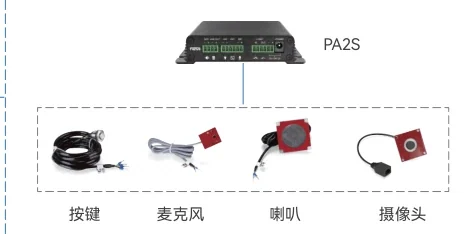
| Legacy analog speakers and their amplifier | Neither - a paging gateway | The PA3 drives 10 to 30 W into a 4 ohm/30 W or 8 ohm/15 W load and holds two SIP lines, bridging the old speaker line into the IP system |
The gateway in the middle: GA10 — what should you know?
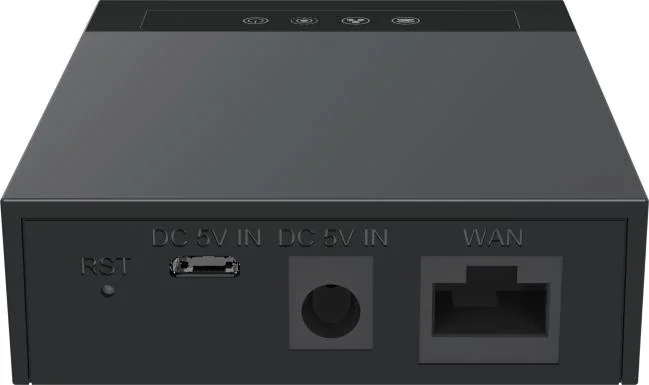
Where a site has exactly one analog device to keep, a small ATA is the cheapest answer rather than a card in the PBX. The GA10 states one FXS port on an RJ11 socket and two SIP lines, Linux on board, a single 10/100 Mbps network port and a Micro USB supply at DC 5 V/1 A. It handles DTMF in-band, RFC2833 or SIP Info, presents caller ID in Bellcore, ETSI, NTT and DTMF formats, supports a three-way voice conference, and covers G.722, Opus, G.711 A/U, G.729 A/B, G.726 and iLBC. It is desktop or wall mounted and rated 0 to 45 degrees C.
Two SIP lines on the gateway is not a coincidence: it lets the same analog device appear under two numbers, which is how a fax that shares a number with a desk phone stays manageable.
When the ports belong on the PBX instead — what should you know?
As soon as the count rises above one or two, ports on the PBX are cheaper, better documented and easier to manage than a shelf of adapters. This platform's analog capacity is a variant you choose at order time:
| Model | Analog ports | How they are ordered |
|---|---|---|
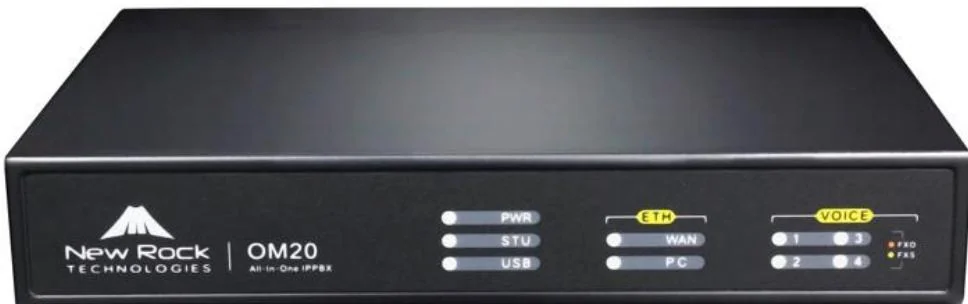
| OM20G | Up to 4 | One card: 4 FXS, 4 FXO, or a 2+2 mix |
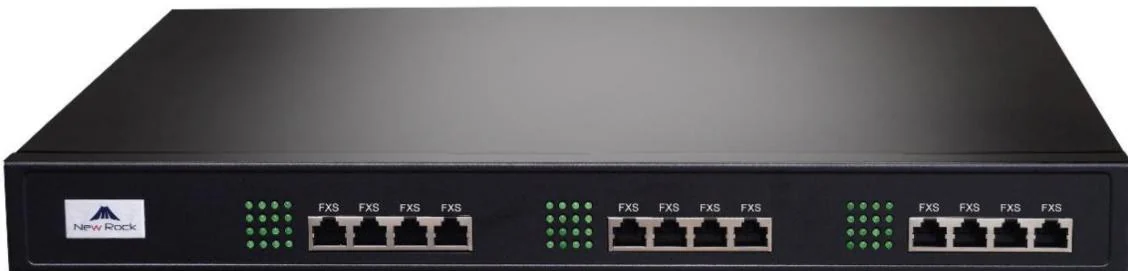
| OM50G | Up to 12 | Up to three cards, giving 12S, 10S/2, 8S/4 or 6S/6 |
| OM80E | Up to 48 | Three boards of sixteen lines, across thirteen sub-models from 8 FXS/8 FXO to 48 FXO |
| OM200G | Up to 96 | Four card slots filled with 24FXS, 24FXO, 16FXS+8FXO or 12FXS+12FXO cards, hot-swappable |
| OM1000-UC | None | SIP only; a fax needs a gateway on the network |
There is one more route worth knowing about, because it inverts the usual direction. The published trunk types are direct, register and registered-by, and the registered-by mode is documented as a way to extend the PBX's FXO ports. In other words, a remote device can be registered to the PBX as a trunk and present outside lines that the PBX does not physically have - useful where lines terminate in a different building from the equipment room.
Keep one pair for the escape route — what should you know?
An FXO port is also the cheapest continuity measure on the platform. An outbound call over a SIP trunk can be set to fall back to an analog line when the call times out, or when it fails with a 4xx, 5xx or 6xx response - with 401, 404 and 422 explicitly excluded so that authentication and numbering errors do not quietly reroute to a paid line. A site with one FXO port and a live pair gets that fallback for free.
Wiring rules that matter more than the model
- Never put a live line into an FXS port. The manual warns explicitly against connecting an analog trunk or a PBX extension line to an FXS socket. Both carry power, and the port will not survive it.
- On the OM80E and above, analog ports arrive on RJ45 sockets, each broken out into four telephone pairs; the frame wiring has to be planned with the same care as the data cabling.
- The OM200G expects a lightning-protection patch panel - PT2400 or PT4800 - at the entry point, which is where the operator's pairs should terminate before they reach the cards.
- Dialling delay differs by model. The default is 1000 on the OM20G and OM50G and 600 on the OM80E and larger. Get it wrong and outgoing calls fail intermittently, in a way that looks like a PBX fault.
- Fax is a mode, not a port. A fax on an FXS port works over T.38 or G.711 pass-through; over an analog line G.711 pass-through is required, which means the codec on that path must be G.711U/20 or G.711A/20 and nothing else.
Choosing in one pass
- List every analog device and mark each one as "is called" or "calls out"; the first needs an FXS port, the second needs a line.
- Count them. One or two devices: a GA10-class ATA is enough. More than a handful: order the analog ports on the PBX.
- Keep at least one FXO pair if any copper exists, and switch on the analog escape route.
- Terminate analog lines on a protected patch panel, and never on an FXS socket.
- Where the PBX has no analog ports at all, plan the gateways as part of the network - each one is another device with an IP address, a codec list and a DTMF mode to match.