IP PBX sizing
Sizing an IP PBX: trunks, extensions, calls
On this page
- What the manual actually publishes — what should you know?
- Start with the busiest hour, not the headcount — what should you know?
- The ladder, in one table — what should you know?
- Analog ports decide more often than trunks do — what should you know?
- A worked example: 300 extensions over four floors — what should you know?
- What to send us
What the manual actually publishes — what should you know?
Most sizing guides begin with the number of desks. This range does not work that way. For every model the product manual publishes a maximum number of SIP trunks and a concurrent-call figure per trunk, and it publishes no maximum number of IP extensions for any model. That omission is the single most important fact in the whole exercise, because it decides what a specification has to say.
The published trunk figures are 24 on the OM20G, 62 on the OM50G, 216 on the OM80E, 496 on the OM200G and 1000 on the OM1000-UC. Concurrent calls per trunk are 120 on the first four models and 200 on the OM1000-UC. Nothing in the manual states how many IP sets a chassis can register, so a design that claims a precise extension ceiling is inventing one.
Start with the busiest hour, not the headcount — what should you know?
Outside lines are sized by simultaneous use, and inside extensions are sized by the number of positions a cable and a licence have to reach. Those are different numbers, and mixing them is the usual cause of an over-specified PBX.
- Positions: count every place a handset, console or softphone has to ring - desks, reception, meeting rooms, warehouse handsets, door stations. That is your extension count.
- Outside calls: count how many conversations have to leave the building at the same time in the busiest hour. That is your trunk requirement, and it is usually far smaller than the extension count.
- Analog devices: count fax machines, lift lines, alarm diallers and any handset that has to keep working without a network. Those need physical ports, which only four of the five models have.
On this platform a SIP trunk is a SIP account or registration, not a single call path: the manual states up to 120 concurrent calls on one trunk, and 200 on the OM1000-UC. Treat that as a platform ceiling rather than a commercial one - your trunk provider will sell you channels, and the provider figure is what governs the bill.
The ladder, in one table — what should you know?
| Model | Analog ports | Max SIP trunks | Ethernet | Power | Recording | Hot standby |
|---|---|---|---|---|---|---|
| OM20G | Up to 4 | 24 | 2 x 100M | Adapter | Local + remote | No |
| OM50G | Up to 12 | 62 | 2 x 100M | Adapter | Local + remote | No |
| OM80E | Up to 48 | 216 | 2 x 100M | AC or -48 V DC | Remote only | No |
| OM200G | Up to 96 | 496 | 2 x gigabit | Single or dual AC/DC | Remote only | No |
| OM1000-UC | None | 1000 | 4 x gigabit | Single AC | Remote only | Yes |
Three things stand out once the table is written down. Only the OM1000-UC has redundancy at the system level. Only the OM20G and OM50G record on the box itself. And the analog column is the one that decides the model for a site that still has wires it cannot remove.
Analog ports decide more often than trunks do — what should you know?
Analog capacity is not a single number either; it is a variant you pick at order time.
- OM20G: one interface card, ordered as 4 FXS, 4 FXO or a 2+2 mix.
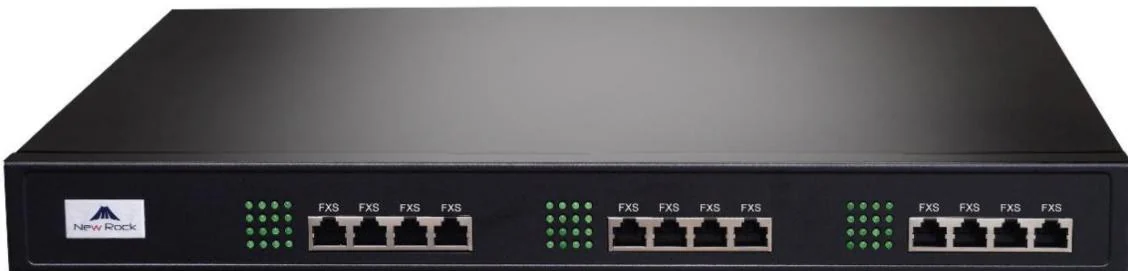
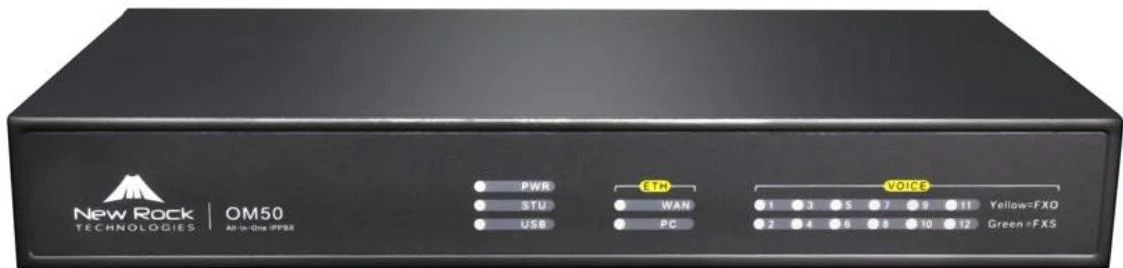
- OM50G: up to three cards, giving 12S, 10S/2, 8S/4 or 6S/6.
- OM80E: three boards of sixteen lines, thirteen sub-models from 8 FXS/8 FXO up to 48 FXO.
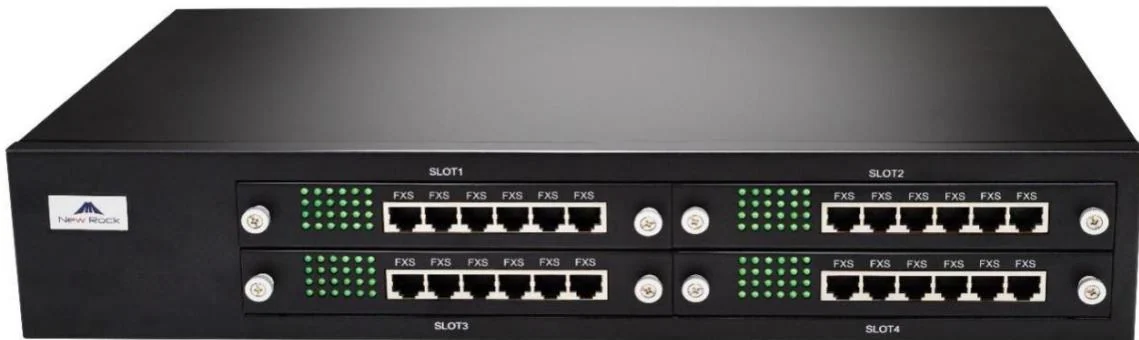
- OM200G: four card slots of 24 lines, filled with 24FXS, 24FXO, 16FXS+8FXO or 12FXS+12FXO cards, and the cards are hot-swappable.
- OM1000-UC: no analog ports at all. A fax needs a gateway on the network, such as the GA10 with one FXS port and two SIP lines.
Practical ceiling worth remembering: a property that wants one analog handset per room needs as many analog ports as it has rooms, and 96 ports is the most this range puts in one chassis. Beyond that, room handsets have to be SIP.
A worked example: 300 extensions over four floors — what should you know?
A 300-position office with no analog requirement and a hard availability target lands on the OM1000-UC, not the OM200G. The trunk headroom is the reason - 300 extensions against 1000 trunks - and the redundancy is the second: two OM1000-UC units pair for dual hot standby, which no other model in the range supports.
- 300 positions: 240 standard desks, 30 team desks, 12 executive sets, 6 meeting-room phones, 2 operator consoles and 10 DECT handsets.
- 30 SIP trunks configured against a 1000-trunk ceiling, so future sites or campaigns are a configuration change, not a hardware one.
- DID/DOD, which the manual documents for this model with a dedicated chapter: bind up to four outside numbers to an extension or a group so callers reach a person instead of a menu.
- One ATA gateway wherever a fax survives, because the core has no FXS ports.
If the same building had twelve analog lines to keep and no redundancy requirement, the answer changes: the OM200G reaches 496 trunks and 96 analog ports at less hardware cost, and its four card slots can be filled as floors are fitted out.
What to send us
Sizing conversations get short when the input is complete. Send the number of positions, the number of simultaneous outside calls you expect at the busiest hour, every analog device that has to stay, whether recording must live on the box, and whether a dropped call has a real cost. Add the number of sites if there is more than one. With those five answers the model, the card mix and the trunk count follow directly from the published capacities, and nothing has to be guessed.