Trunks and lines
SIP trunks vs analog lines: what changes on site
On this page
- The line arrives in a different place — what should you know?
- What changes in the equipment room — what should you know?
- What changes in the configuration — what should you know?
- Six ways to choose an outbound line — what should you know?
- The escape route is the reason to keep one analog line — what should you know?
- Monitoring and debugging
- Choosing for a new site
The line arrives in a different place — what should you know?
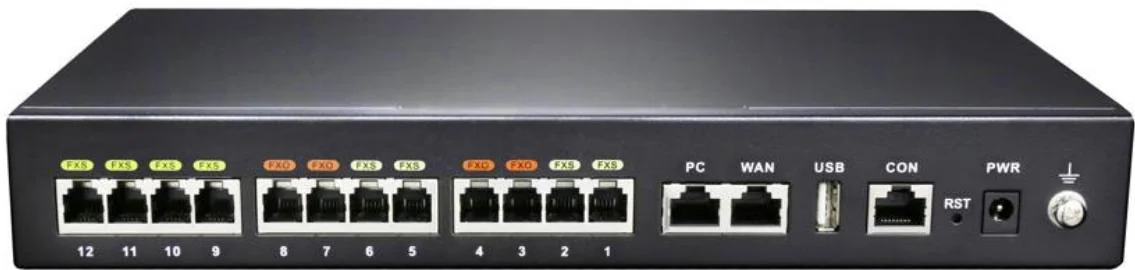
An analog line arrives as a pair of copper wires and terminates on an FXO port on the PBX. A SIP trunk arrives as a registration or a peering agreement and terminates nowhere physical at all - it arrives on the WAN side of the PBX as an IP conversation. Everything downstream of that difference follows.
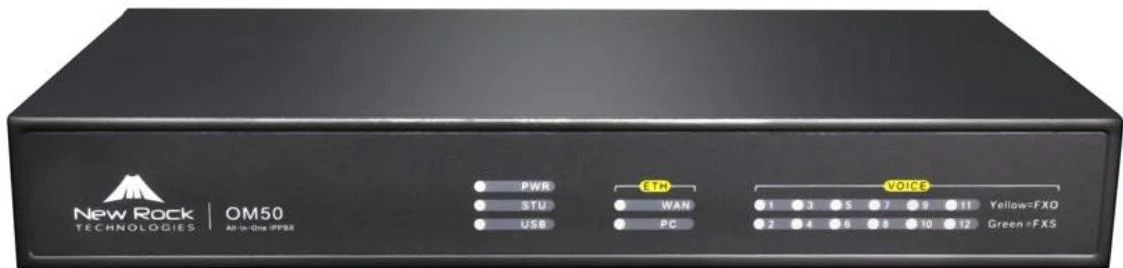
That is also why the two coexist so comfortably on this range. The OM20G, OM50G, OM80E and OM200G all take FXO ports as well as SIP trunks, so a site can run both and switch between them by rule.
What changes in the equipment room — what should you know?
- Analog: pairs from the operator's frame to the FXO ports, lightning protection at the entry point, and the PBX within reach of the frame. The manual's wiring guidance assumes the PBX is grounded and the line pairs are terminated in the room.
- SIP: a working internet uplink with the PBX's RTP range open - 10010 to 10266 by default - plus a router or firewall that can either forward ports or allow the punch-through service. Every call occupies two UDP ports for RTP and RTCP.
- Both: the PBX's own Ethernet ports share a single IP address, and on the OM200G the second port can be configured as a redundant link that takes over in about 1.75 seconds.
What changes in the configuration — what should you know?
| Analog (FXO) | SIP trunk | |
|---|---|---|
| Identity | A port number | Account or peering, with a type of direct, register or registered-by |
| Call quality controls | Gain to IP (-3.0 to +9.0 dB), gain to PSTN (-6.0 to +3.0 dB), line impedance, dialling delay | Codec list (G.711, G.729A, G.722, G.722.2), DTMF mode (RFC2833, in-band, SIP INFO), echo cancellation |
| Caller ID | Detection mode: adaptive ring-after (factory default), adaptive ring-before, ring-before or ring-after | Carried in signalling; presentation depends on the provider |
| Line selection | Sequential or rotating across the port group | Sequential or rotating across the trunk group |
| Billing | Per operator line rental | Per channel or per seat, per provider contract |
Two analog parameters deserve a second look on any site with an old line: the dialling delay defaults to 1000 on the OM20G and OM50G and 600 on the OM80E and larger, and the busy-tone detection expects two to five cadence cycles. Get the delay wrong and outgoing calls fail intermittently, in a way that looks like a PBX fault.
Six ways to choose an outbound line — what should you know?
The platform separates "which line" from "which number", and it offers six selection modes: analog sequential, analog rotating, SIP sequential, SIP rotating, a smart mode that sends local calls over the analog lines and long distance over SIP, and a route-table mode. The route table holds 500 entries applied top to bottom and can translate numbers, add prefixes, point a prefix at a specific port group and cap call duration.
In practice a mixed site uses the smart mode as its default and the route table for exceptions - one prefix that must leave on a particular analog port, one country code that must be barred after hours.
The escape route is the reason to keep one analog line — what should you know?
SIP failover on this platform is specific, which makes it testable. An outbound call over a SIP trunk can be set to fall back to an analog line when the call times out, or when it fails with a 4xx, 5xx or 6xx response - with 401, 404 and 422 explicitly excluded so that authentication and numbering errors do not silently reroute to a paid line.
If the site has any FXO port at all, turning this on is the cheapest continuity measure available. If it has no FXO port - which is the case for the OM1000-UC - continuity has to come from elsewhere: a second SIP provider, or the backup SIP server feature, whose modes are off, fixed address, or DNS SRV.
Monitoring and debugging
- The backup SIP server monitor polls the primary with SIP OPTION messages; the interval is configurable from 2 to 65535 seconds, the local port defaults to 1026 and the switch-back interval defaults to 300 seconds.
- Debugging a trunk is easier than debugging a pair of wires: the PBX can capture port signalling for up to 200 seconds and dump a packet capture of up to 2 MB for Wireshark. Port capture is not available on the OM1000-UC.
- Registration problems usually land on three things: the registration timeout (15 to 86400 seconds, default 600), the local SIP port (default 5060), and whether the Contact and SDP connection addresses are set to LAN or WAN.
Choosing for a new site
On a greenfield site SIP trunks win on flexibility: numbers can be added per site, DID can point a public number straight at an extension, and the same PBX can reach a second site over the network. Keep one or two analog lines only if a fax, a lift or an alarm panel needs a pair, or if the operator offers a line that is materially cheaper for local calls. On a site with existing lines, keep them and let smart trunk selection decide which calls are worth converting.