
Migration alternative · Avaya
An alternative to Avaya phone systems — what to assess and how to migrate
This page is for the point where an organisation is planning a change from an Avaya phone system and wants to know what an equivalently capable SIP-based alternative looks like in practice. It is written as a buyer assessment: what to inventory, what to decide, how existing analog handsets and cabling can be retained, how outside lines move to SIP trunks, how extension numbers are cut over and how the two systems run side by side during the change. NEXVIA supplies and integrates the equipment. No competitor model numbers, specifications or prices are published here, and nothing on this page is a claim about the other vendor.
- Written as a migration assessment, not a product comparison — the table below lists decisions to make, not claims about another vendor
- An equivalently capable alternative approach: standards-based SIP telephony designed around the site, with the same services — extensions, ring groups, voicemail, recording, paging
- Analog handsets, fax machines and special lines can stay in service through the GA10 adapter and the analog ports on the IP PBX, up to 4 / 12 / 48 / 96 by model
- Existing two-core cable can be reused: the PN1 carries network and power over a pair up to 1600 m for the network function without power, and the PN8 and PN24 switches carry 8 and 24 two-wire devices
- A phased changeover is possible: cut over building by building or department by department and keep both dial plans answering in between
- No Avaya model numbers, specifications or prices are published on this site, and no disparaging statement about the vendor appears here
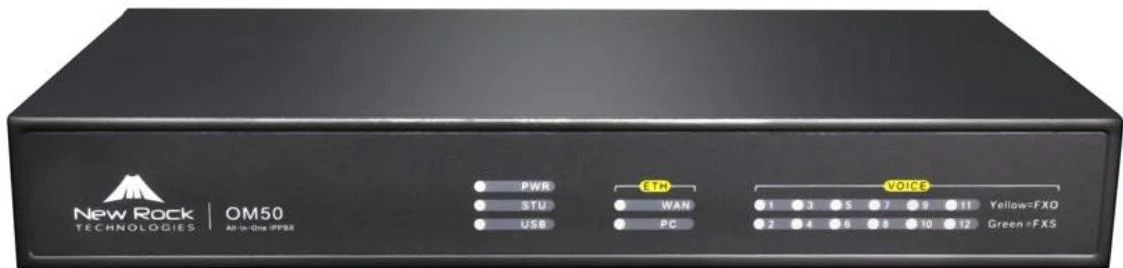
The short answer
A migration away from an Avaya system is usually decided on three questions: what has to keep working, what the outside lines become, and how the change is phased. The alternative this site offers is an equivalently capable SIP-based approach — an IP PBX from 24 to 1000 SIP trunks, standard SIP desk phones, wireless handsets, door stations and gateways, designed around the site rather than around a vendor catalogue. What is published here is the assessment: no competitor models, specifications or prices appear on this site, and the comparison that matters is the one made against your own inventory.
The parts that surprise projects are the ordinary ones. Analog handsets and fax machines can stay: the GA10 puts one analog telephone on the network with 2 SIP lines and one FXS port, and the IP PBX carries analog ports by card — up to 4, 12, 48 or 96 depending on the model. Cabling can often stay too: where a floor or a room has only a two-core pair, the PN1 carries network and power over that pair (up to 1600 m for the network function without power) and the PN8 and PN24 two-wire switches carry 8 and 24 devices with a 300 m maximum for network plus power.
The cutover itself is planned rather than hoped for. Extension numbers are recreated on the new system — numbering starts at 200 and can follow the scheme in use — with a 500-entry route table for number translation, ring groups of up to 40 members and queues of up to 20 waiting calls. Where a phone publishes several SIP accounts it can hold registrations on both systems during the transition, so the change can be phased by floor or by department while both dial plans answer. The current facts, the model list and the phasing plan are all confirmed on the quotation — commercial terms are not published on this site.
Migration decision sheet
| Decision area | What to inventory | How we handle it |
|---|---|---|
| Inventory the positions that must keep working | Desk positions, reception and operator points, door and gate lines, fax machines, alarm and lift lines, paging zones — with the extension number each one has today | We map every position to the right endpoint: a SIP desk phone, a wireless handset, a door station, an ATA or an analog port. Numbers are recreated on the new system and the current scheme can be followed, so users keep the numbers they know. |
| Decide what happens to the existing handsets | Analog handsets that can stay in service; proprietary digital handsets that depend on the system driving them; positions that only need dial tone | The GA10 keeps one analog telephone on the network with 2 SIP lines and 1 FXS port, and the IP PBX carries analog ports by card — up to 4 / 12 / 48 / 96. What a proprietary digital handset can do depends on the equipment installed, so that answer comes from the inventory rather than from a promise. |
| Decide how the outside lines are carried | SIP trunks from a carrier; existing analog lines kept on FXO ports; both, with analog as the fallback path | SIP trunks are supported as direct, registration and registered-by types, with TLS available on the trunk side. Analog lines kept on FXO ports act as an escape route: when a SIP trunk call times out or fails with a 4xx/5xx/6xx response, the call is routed out over the analog line instead. |
| Decide the dial plan and numbering | Extension lengths and ranges in use, published numbers that customers dial, ring-group and pickup patterns, night service and time-of-day routing | Extension numbering starts at 200 and can mirror the existing scheme; a 500-entry route table handles number translation and directed routing; ring groups take up to 40 members with sequential, rotating or simultaneous distribution; queues hold up to 20 waiting calls; auto attendant with time-of-day routing covers the main number. |
| Decide what happens to the cabling | Desks with a working data outlet and PoE switch port; buildings where cable cannot be replaced; wall and corridor positions with one old pair | Where cable stays: the PN1 carries network and power over a two-core pair, the PN8 and PN24 carry 8 and 24 two-wire devices at up to 300 m for network plus power, and X303-2 Wire and H1-2 Wire are the desk and room endpoints on that pair. Where a data outlet exists, a PoE phone needs one cable and nothing else. |
| Decide how the changeover runs | A single cutover window or a phased change; who answers calls while switches happen; how the old and new systems share the outside numbers | Phased changeovers are planned around registration, not downtime: a phone that publishes several SIP accounts can hold registrations on both systems while its block is moved, and the old system keeps answering until its last position has changed. Binding published numbers to extensions or groups is supported for the cutover. |
| Keep the special services on the same plan | Fax lines, door-entry and gate-entry handsets, overhead speaker lines, alarm diallers, operator or attendant positions | Fax runs as T.38 or G.711 pass-through on an FXS port; door stations register as SIP endpoints with relays for release; existing speaker lines are driven from the PA2S or PA3 paging gateways at 10–30 W mono output; operator positions use consoles with 60 to 116 DSS keys. |
The rows below are decisions and options, not claims about another vendor: this site publishes no competitor model numbers, specifications or prices.
Other migration pages
Cisco alternative
Assessing an alternative to a Cisco phone system: dial plan, ring groups, pickup and paging rebuilt on a SIP platform, with the existing cabling and analog lines kept where they work.
Read moreMitel alternative
Planning a change from a Mitel phone system: room and corridor handsets, analog ports and two-core cable handled as one assessment, with the cutover phased.
Read moreNEC alternative
Assessing an alternative to an NEC phone system for a small or mid-size office: keep the analog lines as a fallback, keep the numbers, and move to SIP in planned steps.
Read moreWhat an alternative to Avaya means on this page
It means an equivalently capable alternative approach, not a knockout comparison. The services an organisation expects from a business phone system — extensions and dial tone, ring groups and pickup, voicemail, auto attendant, call recording, paging, door entry — are reproduced on a standards-based SIP system assembled from the OM series IP PBX, SIP desk phones, wireless handsets, door stations and gateways.
Two things deliberately do not appear on this page: competitor model numbers, specifications or prices, and any judgement about the other vendor. This site publishes no data about Avaya equipment. The assessment is built from your inventory and your requirements, and where a fact about the installed equipment matters, it is confirmed between us rather than assumed on a web page.
- The comparison that matters is against your own extension list, not against a vendor brochure
- Standard SIP is the interoperability basis: extensions register over SIP with TLS and SRTP options, DTMF as RFC2833, in-band or SIP INFO, and codecs covering G.711, G.729A, G.722 and G.722.2
- The platform size is chosen from the count: 24 SIP trunks on the OM20G through 1000 on the OM1000-UC, with analog ports from none to 96
- Nothing about the existing vendor is disparaged, and no statement about their equipment is made on their behalf
If your assessment needs a fact we do not hold about the existing installation, we will say so — and confirm it with you instead of filling the gap.
The migration path, step by step
Phased in this order, a changeover stays understandable for the people answering the phones. The sequence below is the one we use to plan the project; the numbers in it are the published figures.
- 1. Inventory. Every position, its number, its device type and its cable — desks, reception, door and gate lines, fax, alarm, paging. The inventory decides the endpoint list.
- 2. Keep the analog estate working. Analog handsets stay through the GA10 (2 SIP lines, 1 FXS port) and the analog ports on the IP PBX, up to 4 / 12 / 48 / 96 by model; fax runs as T.38 or G.711 pass-through.
- 3. Settle the wiring. Where a data outlet and a PoE port exist, one cable does the desk. Where only a two-core pair exists, the PN1 carries network and power over it (up to 1600 m for the network function without power) and the PN8 and PN24 carry 8 and 24 two-wire devices; X303-2 Wire and H1-2 Wire are the desk and room endpoints.
- 4. Move the outside lines. SIP trunks are configured as direct, registration or registered-by, with TLS on the trunk; analog lines can stay on FXO ports as the escape path when a SIP trunk call times out or returns 4xx/5xx/6xx.
- 5. Rebuild the dial plan. Numbering starts at 200 and can follow the existing scheme; the route table holds 500 entries for translation and directed routing; ring groups take up to 40 members; queues hold up to 20 waiting calls; time-of-day routing covers nights and holidays.
- 6. Phase the cutover. Move a floor, a building or a department at a time. A phone with several SIP accounts can hold registrations on both systems while its block is being moved, and the old system keeps answering until the last position changes.
- 7. Bring the special services across. Door stations register as SIP endpoints with release relays, speaker lines move to the PA2S or PA3 gateways, and the operator position gets the key field it needs — up to 116 DSS keys on the console models.
- 8. Confirm the current facts in writing. Trunk counts, port cards, firmware positions and the model list are all confirmed on the quotation, against your inventory.
What usually stays, and what it needs
This is the practical core of a migration: most of what is on site can be reused, and each item has a published figure behind it. The table is generic to the change; none of it is a statement about any vendor equipment.
Reuse assessment for a changeover to a SIP system, with the published figures
| Existing element | Can it stay? | What it needs |
|---|---|---|
| Analog telephones and fax machines | Yes, as extensions on the new system | A GA10 per analog telephone (2 SIP lines, 1 FXS port), or an FXS port on the PBX card — up to 4 / 12 / 48 / 96 ports by model. Fax: T.38 or G.711 pass-through |
| Analog outside lines | Yes — often worth keeping | An FXO port on the IP PBX, used as the escape route when a SIP trunk call times out or fails with 4xx/5xx/6xx |
| Two-core cabling to a floor, room or wall position | Often yes | PN1 converter (network and power over the pair, up to 1600 m for network without power), PN8 or PN24 switches (8 / 24 devices, 300 m maximum for network plus power), with X303-2 Wire and H1-2 Wire as endpoints |
| Data cabling and PoE switch ports | Yes | Standard PoE desk phones: integrated PoE is published on the X303P/G/W, X301P/G and across the XU and X series, so a desk needs one cable |
| Overhead speaker lines and paging zones | Yes | PA2S or PA3 paging gateway: 10–30 W mono output adapting to the input voltage, with a line output for an external active speaker |
| Door, gate and service entrances | Replaced or integrated | SIP door stations and indoor stations with relays for release; they register on the same dial plan as the desk phones |
| Desk handsets | Replaced by SIP phones | Published line counts decide the model: 2 lines (X301 group), 4 (X303 group), 6 (X3U), 12 (X4U), 16 (X5U), 20 (X7, X7C, X210), with key fields from 30 to 116 DSS keys |
Proprietary digital handsets are tied to the system that drives them. Whether any can be reused is a question about the installed equipment, so it is answered from the inventory — not assumed here.
What this site does not publish
This site does not publish competitor model numbers, competitor specifications or competitor prices, and it does not carry comparative claims about another vendor. A comparison table filled with second-hand data would be worse than none, so the table on this page lists the decisions a migration forces and the published figures of the equipment we supply.
Where a project needs a fact about the installed system, the honest route is the inventory: take the extension list, the handset types, the line types and the cabling, and the assessment is made against that. Anything we cannot verify is confirmed with you in writing rather than asserted on a page.
- No competitor models, specifications or prices — none are held, so none are printed
- No disparaging statement about any vendor is made or implied anywhere on this site
- The trademark notice below names the relationship plainly: NEXVIA is not affiliated with, endorsed by or sponsored by the vendors named
- Everything we do state — capacities, ports, codecs, wiring distances — is carried from the published manufacturer figures and confirmed on the quotation
Frequently asked questions
Do you publish a comparison between your system and an Avaya system?
Can we keep our existing Avaya handsets?
How do the outside lines and published numbers move across?
Can the old and new systems run at the same time?
What happens to fax machines, door phones and overhead paging?
How is a changeover scheduled?
Relationship and trademark notice
NEXVIA manufactures its own range of IP telephony equipment — PBX systems, SIP phones, hotel handsets, nurse call, intercom and public address — and integrates it for the site: design, manufacture, supply, commissioning and after-sales support.
This page is a migration assessment written from public, verifiable information: the published figures of the equipment NEXVIA supplies. It publishes no competitor model numbers, specifications or prices, and it makes no comparative or disparaging claim about another vendor. What to assess is decided by your own inventory and requirements.
All trademarks named on this page — including Avaya, Cisco, Mitel and NEC — are the property of their respective owners. NEXVIA is not affiliated with, endorsed by or sponsored by those vendors. A vendor name is used only to identify the system a buyer may be planning to change from; it is not a statement about that vendor's products.
avaya alternative · avaya replacement · migrate from avaya · avaya phone system replacement · avaya to sip
Page author: NEXVIA EngineeringPublished:Last updated:
Covers: avaya alternative · avaya replacement · migrate from avaya · avaya phone system replacement · avaya to sip
Equipment on this page is supplied and integrated by NEXVIA; no competitor specifications or prices are published on this site.
Explore Products
Related products
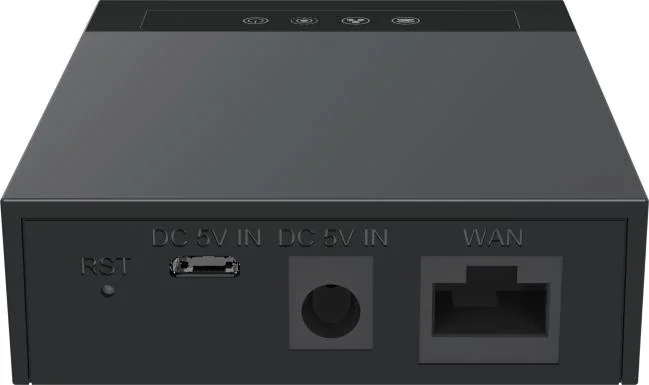
GA10
Two SIP lines and one FXS port, so an analog phone joins the IP system.
- 2 SIP lines
- 1 FXS (RJ11) port
- Micro USB DC 5V/1A
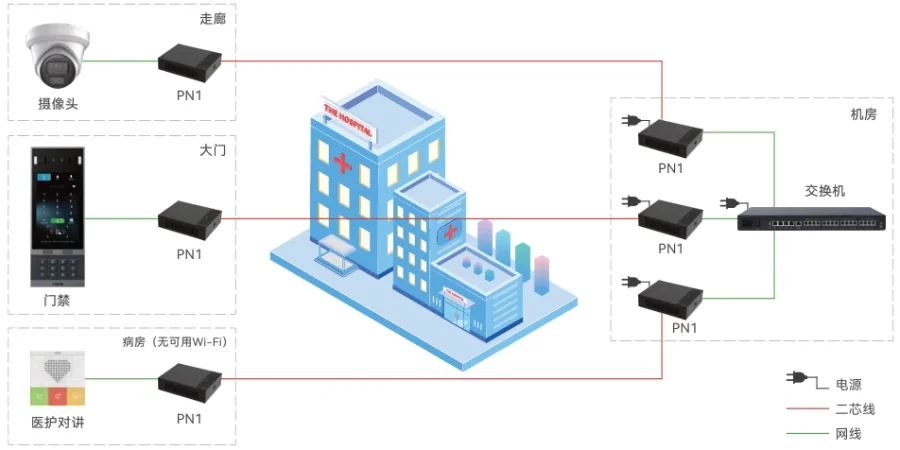
PN1
Carries network and power over existing two-core cable, for retrofit work.
- Network + power over 2-wire
- Up to 1600 m network run
- AC 100–240 V supply
OM50G
Three interface cards and 62 SIP trunks for offices that keep their analog lines.
- Up to 12 analog ports
- 62 SIP trunks
- Local + remote recording
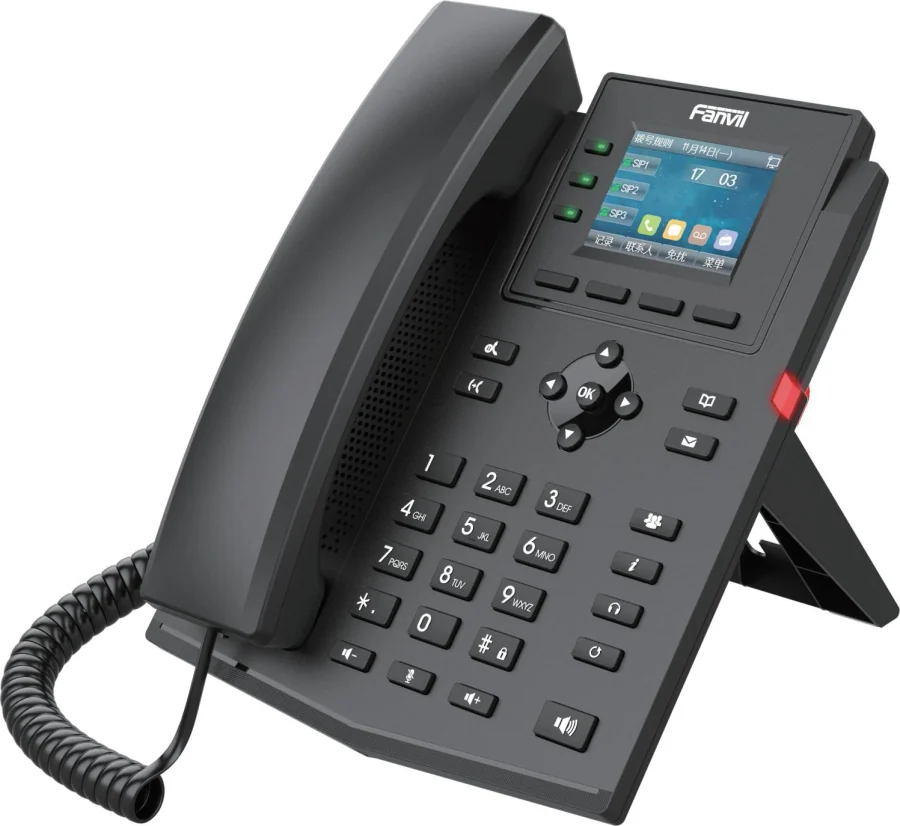
X303G
Four-line X300 phone with Gigabit ports, PoE and a colour screen.
- 4 SIP lines
- 2.4-inch colour screen
- Dual Gigabit + PoE
Planning an IP telephony project?
Send us the site type, the number of extensions or rooms and the areas to cover — we will come back with a configuration and quotation.
Send the site details
Six facts build a configuration: site type, extensions or rooms, simultaneous calls, areas to cover, existing lines and the documents you already hold. Send as many as you know — nothing has to be final before the first reply.
- Reply within one working day
- Configuration + quotation for your site
- Your details are used only to answer this inquiry