
Platform compatibility · Microsoft Teams
Microsoft Teams phones and SIP interoperability
There are two honest ways to answer the question of which phones work with Microsoft Teams. One is a native device running the Teams client, which Microsoft lists itself. The other is a standards-based SIP telephone sitting on a SIP phone system that is joined to the Teams environment over a documented SIP interface — and that is the route this catalogue can document, because the requirements are protocol requirements: registration, TLS signalling, SRTP media, a matching DTMF method, a codec set and a provisioning path. This page sets out that route, the phones that fit it, and the exact point where only the platform's own published list can answer.
- Two routes separated plainly: native Teams devices are listed by Microsoft; standards-based SIP phones are documented by their protocol requirements
- SIP route requirements: registration on port 5060 by default, UDP or TCP transport, TLS signalling and SRTP media where encryption is enforced
- DTMF must match the platform setting — In-band, RFC2833 or SIP INFO — and RFC2833 is the documented standard method
- Codecs published across the catalogue: G.711U/A, G.722, G.729A/B, G.726, iLBC and Opus, with G.729 named where bandwidth is limited
- Desk positions covered from 2 SIP lines to 20, with headset support, EHS adapters, USB and Bluetooth headsets and cordless DECT or Wi-Fi handsets
- No model on this site is described as Microsoft Teams certified, and NEXVIA is not affiliated with, endorsed by or sponsored by Microsoft
The short answer
A Microsoft Teams phone position can be filled in two ways, and only one of them is a phone we can document honestly. The first is a native Teams device — a desk phone that runs the Teams client itself; Microsoft publishes and maintains the list of those devices, and this site does not repeat or extend it. The second is a standards-based SIP telephone on a SIP phone system that is connected to the Teams environment at a documented SIP interface, configured by whoever administers the tenant. The SIP route is what this page documents, because every requirement in it is a protocol requirement we can quote.
On that SIP route the handset has to register as a SIP extension with the server address, username, password and display name, on port 5060 by default, with signalling over UDP or TCP and TLS where encryption is enforced; media should support SRTP. DTMF has to match the platform setting — In-band, RFC2833 or SIP INFO. The audio path has to carry the codec set in use: G.711 for plain compatibility, G.722 and Opus for wideband, G.729 where bandwidth is tight — and the catalogue publishes those codecs across desk phones, wireless handsets and the GA10 gateway.
What follows from that: the shortlist is built from published capability rather than from a certification claim. Desk phones publish 2 to 20 SIP lines, key fields up to 116 on-screen DSS keys for presence and speed dialling, headset ports and EHS wireless-headset support, dual Gigabit ports with PoE, and provisioning over DHCP option 66, TR069/TR104/TR106 and SIP PnP. Tell us the tenant configuration your Teams administrator has chosen and the extension count, and the model shortlist and the current facts are confirmed on the quotation.
Capability matrix — what the platform actually uses
| Capability | Models in the catalogue | What it means when the phone registers |
|---|---|---|
| Colour-screen desk phones with key fields | X6U, X5U, X4U, X3U / X3U Pro, X210 and the V Series models | Multiple SIP accounts with 30 to 106 DSS keys for presence, park and pickup; dual Gigabit ports with integrated PoE; EHS wireless-headset support published across the range, which is what a headset-based position needs |
| Android touch-screen phones | X7A, A320, A320i, A330i, A308i | Android 9.0 or Android 14 on screens from 7 inches to 10.1 inches, with third-party application installation stated for some models and an open SDK/API on the A330i; whether a client application is deployed on a phone is a platform-side decision, and the SIP behaviour is the same standards-based behaviour as the rest of the range |
| Headset-first and call-handling positions | X2P; EHS20, BT20, DH401B, DH301B, DH602B, HT301-U / HT302-U | The X2P publishes 2 SIP lines with RJ9 and 3.5 mm headset ports and a pedal-switch option; the accessory list adds USB and Bluetooth headsets and the EHS switch that lifts a wireless headset off the hook — headset-to-software compatibility is confirmed by the application vendor, not claimed here |
| Wireless handsets | W610D with W710D / W710H bases; W610W, W611W, W620W | DECT for engineered coverage — up to 30 handsets per base and 300 per system — or Wi-Fi handsets that ride the site network, with up to 16 DSS keys and a push-to-talk key for quick dial, intercom and multicast |
| Conference and room positions | CA600, CA400, CA200, CS20, CS40 | Conference terminals and speakerphones for meeting rooms, registered on the same SIP system as the desks; the CA600 publishes a 12-microphone array over 360 degrees with dual 10 W speakers and a dual-camera option |
| Analog telephones, door stations and paging | GA10; A12/A12V, i16S, i11S, i10S; PA3, PA2S; A212, A201 | Keep an analog telephone, a door station or an existing speaker line on the same dial plan: the GA10 has 2 SIP lines and 1 FXS port, the stations register as standard SIP endpoints with door-release relays, and the paging gateways output 10–30 W mono to a speaker line |
| Shared-area and room handsets | H Series — H6W, H5/H5W, H4/H4W, H3/H3W, H2U, H1, H603W | 2 SIP lines with 2 to 10 programmable service keys and customisable faceplates for rooms, reception points and service areas; the cordless and Wi-Fi models cover positions with no data outlet |
The rows below are capabilities and published figures, not certifications: no model on this page is described as certified for any platform, and no supported-device list published by a platform vendor is reproduced here.
Other platform compatibility pages
3CX-compatible SIP phones
What a SIP phone has to support to sit on a 3CX phone system, and how the current position is checked against the platform's own published list.
Read moreZoom Phone desk phones
What a desk phone has to support to register to Zoom Phone — and how the platform's own compatible-device list is checked at quotation time instead of copied into a table.
Read moreThe two routes to a Teams phone position
A native device runs the Teams client on the phone itself. That device category, its firmware programme and the list of models that are on it all belong to Microsoft; the list is published by Microsoft, changes over time, and is the only authoritative source for it. This site does not repeat it, and NEXVIA does not claim that any phone in this catalogue is on it.
The second route is the one this catalogue serves directly: a standards-based SIP telephone registered to a SIP phone system, with the two environments joined at a documented SIP interface configured by the tenant administrator. On that route the phone side is a protocol question, and the protocol requirements are the ones this page lists — the same requirements whether the system behind the phone is our own IP PBX or a platform the buyer already runs.
- Native device route: the device list, the client and the firmware programme belong to Microsoft; check them there
- SIP route: a standard SIP desk phone or wireless handset on a SIP phone system, joined at a documented SIP interface
- The phone-side requirements are identical on both routes: registration, transport, encryption, DTMF, codecs, keys, provisioning
- Tell us which route your administrator has chosen and the answer is a model shortlist against published figures, not a badge
What the SIP route asks of the telephone
The table maps each requirement to the published figure behind it. The third column is what this catalogue and the platform documentation state; none of it is a statement about the Microsoft device programme.
SIP interoperability requirements against the published figures of this catalogue
| Requirement | What the phone has to do | What this catalogue publishes |
|---|---|---|
| Registration and accounts | Register as a SIP extension, with a second account where a desk watches another number | Standard SIP registration throughout the range; port 5060 by default, signalling over UDP or TCP, with TLS available; published line counts from 2 to 20 |
| Secure signalling and media | TLS for SIP signalling and SRTP for the audio where the deployment enforces encryption | TLS and SRTP options documented on the platform side, with SIP signalling and voice-payload encryption; SRTP/SIPS/TLS published for the DECT base stations in the wireless range |
| DTMF | Match the platform setting so in-call keypresses reach IVR menus and voicemail | In-band, RFC2833 or SIP INFO, selectable on the GA10 and the desk-phone and gateway datasheets |
| Codecs | Carry the audio codec set in use across desks, cordless handsets and meeting rooms | G.711U/A, G.722, G.729A/B, G.726, iLBC, Opus across the ranges; the platform documentation names G.729 for IP telephony and the IVR path |
| Keys, presence and call handling | Line keys, busy-lamp fields, park and pickup, speed dials, transfer and hold | Up to 116 on-screen DSS keys (A Series, V67, V66), 106 (X210, X210i), 60 (X6U); six transfer variants, hold, park and pickup documented on the platform side |
| Provisioning and management | Configuration pushed per firmware, with a central device manager where available | Auto provisioning over DHCP option 66, TR069/TR104/TR106 and SIP PnP; management over web GUI or SSH on the platform side |
| Power and cabling | One cable to the desk where the switch delivers PoE | Integrated PoE published on the X303P/G/W, X301P/G, the XU family and the X Series screen models; 2-wire products where the existing pair has to be reused |
| Rooms with no data outlet | A handset that works where only power, or only an old pair, is available | Wi-Fi 6 and 2.4G Wi-Fi variants across the H Series and W Series handsets, plus the H1-2 Wire and X303-2 Wire models that take network and power over a two-core pair |
Where the platform list ends and our documentation begins
Microsoft publishes its own certified-device programme and list for Teams phones. That list belongs to Microsoft, it is versioned, and it is the authoritative answer to whether a device is a Teams phone. NEXVIA does not hold it, does not extend it, and does not describe any phone in this catalogue as a Teams phone or as Teams certified.
What NEXVIA can do is document the other half: the SIP protocol requirements a telephone must satisfy, the manufacturer figures behind each one, and the current firmware position at the moment of quotation. On a project, that splits cleanly into a tenant-side question for the Teams administrator and a phone-side question for us.
- Tenant side: which voice-connectivity option the organisation uses, and which phones the platform lists for it — answered by Microsoft's documented programme and the administrator
- Phone side: registration, transport, encryption, DTMF, codecs, keys, PoE and provisioning — documented on this page with the published figures
- Firmware moves: a position true for one release may differ for the next, so it is confirmed at quotation time
- Never assumed: no certification claim, no partnership claim, no invented feature list for the platform
If a project depends on a native Teams device, say so at the start: we will tell you plainly that the list belongs to Microsoft and help you check the requirement, rather than quote a model against it.
If the SIP phone system is part of the project
The SIP route needs a SIP phone system behind the phones, and NEXVIA supplies and integrates one. The OM series spans 24 to 1000 SIP trunks across five models, with analog ports from none to ninety-six, dual hot standby on the OM1000-UC and a documented platform-compatibility sentence that names CallManager, Broadsoft, Skype for Business, Huawei IMS and Asterisk.
That sentence comes from the OM series administrator manual and is quoted as the manual prints it. It is the manufacturer's statement about the platform, not a list this site extends — and it is the reason a standards-based phone can be expected to behave predictably when the system behind it changes.
- 24 to 1000 SIP trunks; up to 120 concurrent calls per trunk on the OM20G and OM200G, up to 200 on the OM1000-UC
- SIP trunk types: direct, registration and registered-by, with TLS on the trunk side and SRTP selectable for media
- Analog ports up to 4 / 12 / 48 / 96 by model, for the phones, fax machines and door lines that stay analog
- Hot standby on the OM1000-UC: two paired units, automatic takeover with a 10-second health heartbeat by default, so calls survive a unit failure
- Recording in G.711 and G.729, voicemail, auto attendant with time-of-day routing, and ring groups of up to 40 members
Frequently asked questions
Are the phones on this site Microsoft Teams certified devices?
Can an ordinary SIP desk phone be used in a Microsoft Teams environment?
Which protocols and codecs matter most?
How do the phones get provisioned?
Do you supply headsets that work with a softphone client?
Can one telephone run on two systems during a changeover?
Do you publish a compatibility list of your own?
Relationship and trademark notice
NEXVIA manufactures its own range of IP telephony equipment — PBX systems, SIP phones, hotel handsets, nurse call, intercom and public address — and integrates it for the site: design, manufacture, supply, commissioning and after-sales support.
This page describes the protocol and feature requirements a telephone has to satisfy to register on a third-party platform. It does not claim platform certification, and it does not reproduce any platform vendor's supported-device list; the current position is confirmed against that vendor's own published documentation at quotation time.
All product and platform names on this page — including 3CX, Microsoft Teams and Zoom — are trademarks or registered trademarks of their respective owners. NEXVIA is not affiliated with, endorsed by or sponsored by those vendors, and their names are used only to describe the interoperability requirements of a standards-based SIP telephone.
microsoft teams phones · teams certified phones · teams phone system · sip phone for teams · teams desk phone
Page author: NEXVIA EngineeringPublished:Last updated:
Covers: microsoft teams phones · teams certified phones · teams phone system · sip phone for teams · teams desk phone
Equipment on this page is supplied and integrated by NEXVIA; platform names are used to describe interoperability requirements only.
Explore Products
Related products
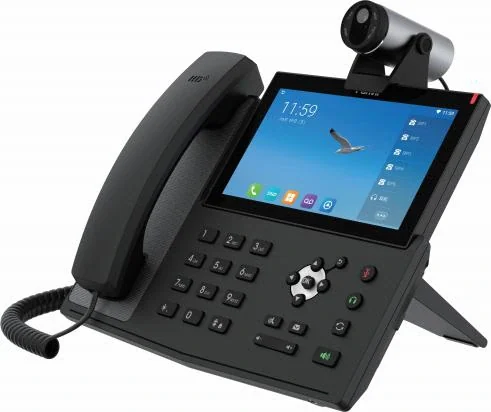
X7A
Android desk phone with a 7-inch touch screen and a 1080p camera option.
- 7-inch touch screen
- Android 9.0
- 20 SIP lines
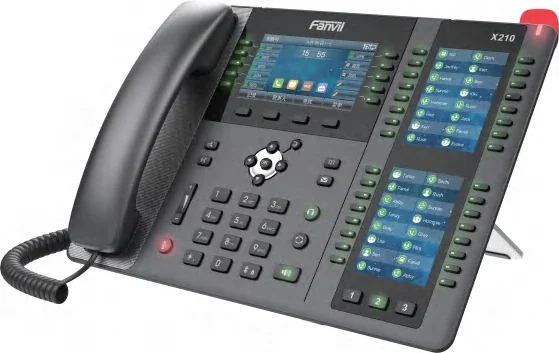
X210
Three-screen desk phone with 106 DSS keys and a SIP hotspot.
- 4.3-inch + 2 × 3.5-inch
- 20 SIP lines
- 106 DSS keys
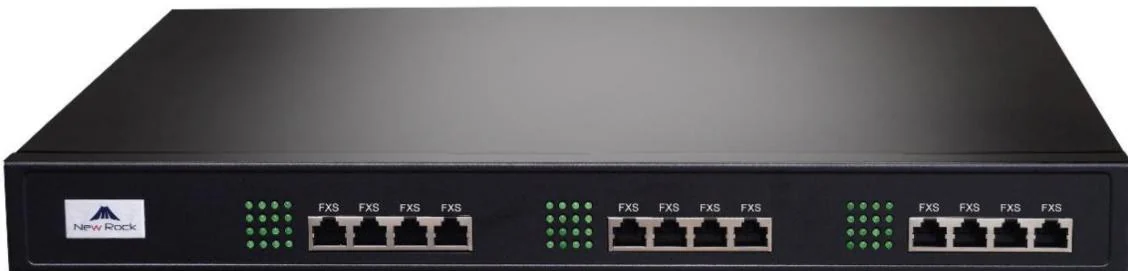
OM80E
Rack-mount PBX for 48 analog ports with AC or DC power.
- Up to 48 analog ports
- 216 SIP trunks
- AC 100–240 V or −48 V DC
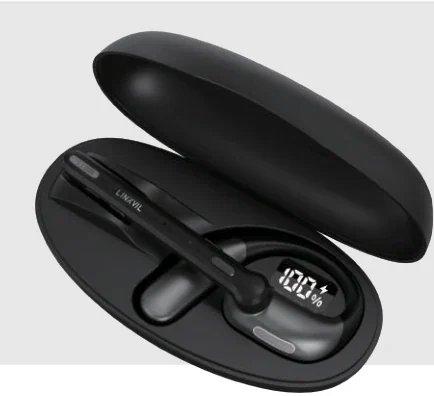
DH401B
Open-ear earbuds that switch between the desk phone and the PC.
- Weighs 13.6 g
- Bluetooth 5.4 multipoint
- Dual-mic AI noise reduction
Planning an IP telephony project?
Send us the site type, the number of extensions or rooms and the areas to cover — we will come back with a configuration and quotation.
Send the site details
Six facts build a configuration: site type, extensions or rooms, simultaneous calls, areas to cover, existing lines and the documents you already hold. Send as many as you know — nothing has to be final before the first reply.
- Reply within one working day
- Configuration + quotation for your site
- Your details are used only to answer this inquiry