Intercom
Adding office intercom to an existing phone system
On this page
- The intercom is not a second system — what should you know?
- Four checks on the PBX before anything is bought — what should you know?
- Door and gate positions — what should you know?
- Paging zones — what should you know?
- Power and cable at the door — what should you know?
- A phased way in
- What a quotation needs
The intercom is not a second system — what should you know?
An office that already runs a SIP phone system has most of what an intercom needs. The door panel and the corridor speaker register as SIP extensions on the PBX that is already in the equipment room, dial as ordinary numbers, and answer on ordinary handsets. The materials state the principle plainly on the building-intercom side: the terminals are compatible with a standard IP PBX, softswitches and video phones, with no proprietary server needed.
What that means in practice is that the project is a configuration exercise plus a small amount of cabling - and that the first work is not choosing panels but auditing what the PBX can already carry.
Four checks on the PBX before anything is bought — what should you know?
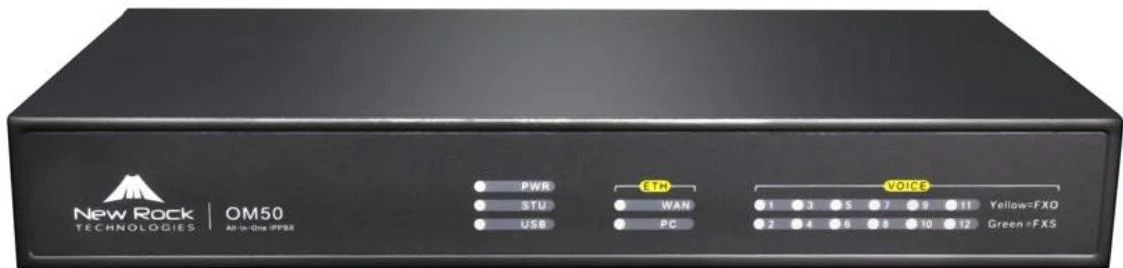
- Trunk headroom. Published maximum SIP trunks are 24 on the OM20G, 62 on the OM50G, 216 on the OM80E, 496 on the OM200G and 1000 on the OM1000-UC, each carrying up to 120 concurrent calls (200 on the OM1000-UC). Intercom traffic rides on capacity the site already owns, so the question is whether the current model has room.
- Extension numbering. Extensions are numbered from 200 upwards on this platform, and door stations and speakers should go into their own block - 290-299 for doors, for example - so that a group, a route or a console display stays readable.
- Ring group capacity. A door call usually rings a group: reception plus whoever covers the entrance. Ring groups take up to 40 members on the OM20G and OM50G and 60 on the larger models, distribute sequentially, by rotation or simultaneously, and hold a queue of up to 20 waiting calls.
- Group pickup and the operator position. Department pickup reaches up to 32 departments, and the operator position answers on extension 200 with up to five numbers. If nobody dials anything, the call falls to the operator after 24 seconds.
Door and gate positions — what should you know?
The panel at the door does three jobs, and the model range covers them at different levels of security.
| Position | Documented device | What it carries |
|---|---|---|
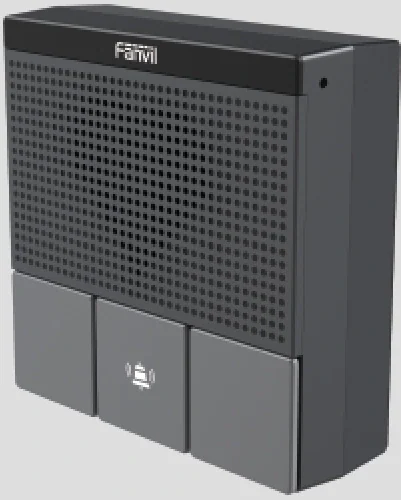
| Office entrance beside a standard wall box | A10W | Three detachable function keys, two SIP lines, a 2W speaker with echo cancellation, G.722 and Opus, MP3 broadcast, and standalone intercom mode that needs no control centre |
| Back door, service yard, gate | A12V | IP66 and IK10, minus 40 to 70 degrees C, one access control channel, two short-circuit inputs and two outputs, a 10W speaker with echo cancellation, and an anti-tamper alarm reported to the control centre |
| Main entrance with credentials | i67 | Face, IC/ID card, PIN, QR code, DTMF and app access, two 2 MP cameras with fill light, a 3W speaker, ONVIF and Wiegand - IP66 and IK07 |
Two design consequences follow. A panel with ONVIF can be tied into the site's video management system rather than living beside it. And a panel with a built-in relay can drive the door strike without a separate controller - which brings the wiring question forward.
Paging zones — what should you know?
Intercom is half of it; announcements are the other half, and here the office is usually under-served rather than over-served. The speaker range states support for up to 20 multicast zones with prioritisation, so zones cost configuration rather than copper: moving a speaker from "floor 2" to "floors 2 and 3" is a group edit.
- A201 ceiling speaker - for offices and meeting rooms: real-time and MP3 broadcast, built-in microphone, self-test, environmental noise detection, offline timed broadcast, PoE, PoE+ or DC.
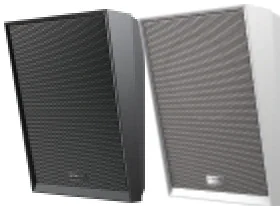
- A212 wall speaker - for corridors: a 2-way coaxial driver, talkback, PoE 8 W and PoE+ 15 W, and it can drive an additional passive analog speaker where an old ceiling line already exists.
- The console carries the paging keys. The X210i states 20 SIP lines and 106 DSS keys with a gooseneck microphone; the A320i states 20 SIP lines and 116 DSS keys.
Write the zone list and the priority order before configuring either. The order that works in most buildings is emergency first, then a live page from the control point, then scheduled announcements, with background audio last.
Power and cable at the door — what should you know?
This is where existing buildings decide the cost, and the documents are specific about the options.
- PoE where a network cable already reaches the door, or 12 V DC documented as an alternative on the A10W.
- A standard 86 box for the smaller panels, which means the wall plate position the electrician already knows.
- Where only a two-core cable exists, a 2-wire converter carries network and power over that pair, up to 1600 m for the network function without power, with the switches in the range covering 8 or 24 two-wire devices at up to 300 m for network plus power.
Check the relay path at the same time. If the panel drives an electric strike, someone has to confirm whether the strike needs its own supply and whether the panel's contact is the right type for the lock - the lock circuit is confirmed per project rather than assumed.
A phased way in
- Phase 1 - the main entrance. One door panel, one ring group, one relay. This is the phase that proves the network, the power and the call routing with the least money at risk.
- Phase 2 - paging. One or two speakers in the loudest parts of the building, with the zone list written down before configuration.
- Phase 3 - the other doors and gates. Service yards, warehouses, car parks, each one an extension in the same door block.
- Phase 4 - the credentials and the video. Card, PIN, QR or face access, and ONVIF integration into the site's own video system.
What a quotation needs
Send the PBX model already installed, the number of door positions and whether a network cable reaches each one, whether the doors already have strikes and how they are powered, the areas that need announcements, and the existing cabling condition at each point. With those five answers the panel mix, the extension block, the zone list and the PoE budget follow - and no one has to commission by trial and error.