Cabling and power
IP phones over two-core cable: the retrofit
On this page
- The cable decides, not the phone — what should you know?
- What the hardware does — what should you know?
- Two distances, two very different jobs — what should you know?
- When keeping analog on the pair is the better answer — what should you know?
- Survey before quotation — what should you know?
- A phased retrofit
The cable decides, not the phone — what should you know?
In an older building the expensive part of a telephony upgrade is rarely the equipment. It is opening the fabric of a wall, chasing a corridor ceiling, or discovering that a listed facade will not take another route. Where a two-core pair already runs to each position, the retrofit question is whether that pair can carry the network and the power an IP phone needs.
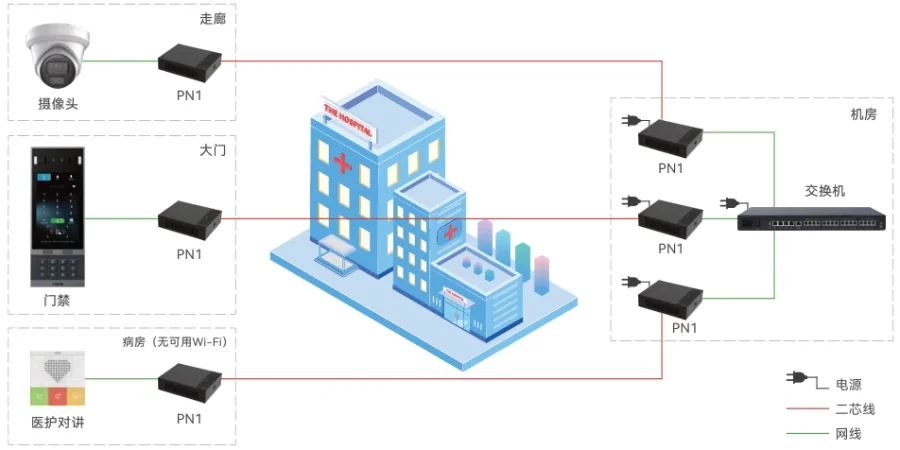
That is exactly what the 2-wire line in this range is for, and the materials label it with historical building retrofit rather than pretending it is a general-purpose solution.
What the hardware does — what should you know?
| Device | What it provides | Published limits |
|---|---|---|
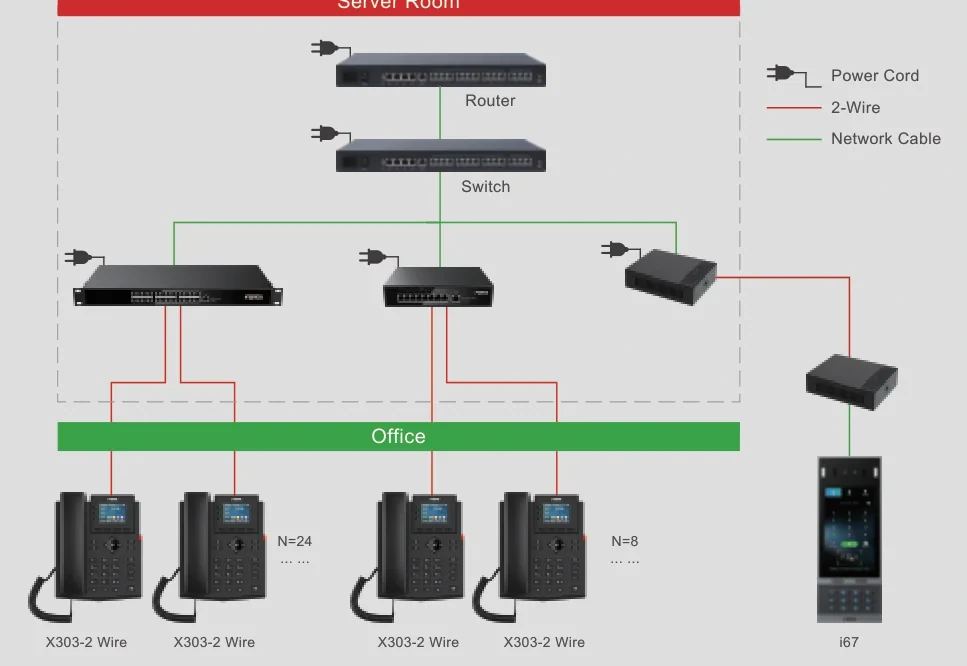
| PN1 converter | Network and power over a two-core pair; extends PoE wiring over 2-wire | Up to 1600 m for the network function without power; supplied locally at AC 100-240 V |
| PN8 switch | Two-wire network and power (switchable) for several devices | Up to 8 two-wire devices; 300 m for network plus power; cascading over Ethernet cable; built-in AC 100-240 V supply |
| PN24 switch | The same, at cabinet scale | Up to 24 two-wire devices; 300 m; standard 1U chassis |
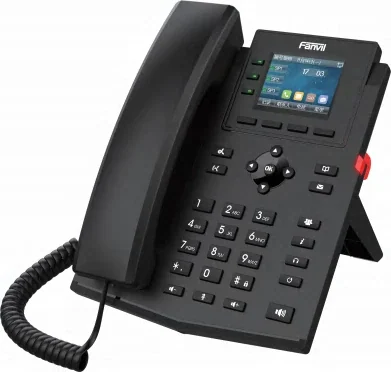
The endpoints are published models rather than adapters bolted to ordinary phones. The X303-2 Wire is a 2.4-inch colour-screen phone that takes both network and power from the 2-wire supply. The H1-2 Wire is a service handset with eight programmable service keys, G.722 and Opus audio and faceplate customisation, which makes it the natural fit for a hotel corridor or a residence where the handset has to look like part of the room.
Two distances, two very different jobs — what should you know?
The numbers that decide feasibility are stated per device, and reading them as one figure is the mistake that ruins a retrofit.
- 1600 m is a network-only figure. It is quoted for the converter carrying data over the pair without power. Use it for a signal run where the device at the far end has its own supply.
- 300 m is the network-plus-power figure. The switches in the range quote it for carrying power with the signal, and this is the number that applies to an ordinary IP phone at the far end of the pair.
So the same pair supports a very long run or a powered device, and the survey has to say which one is being asked for. A site that needs both writes down the device count at the far end as well: one device is a converter job, up to 8 is a PN8, up to 24 is a PN24, and a floor with more points than that needs more than one switch.
When keeping analog on the pair is the better answer — what should you know?
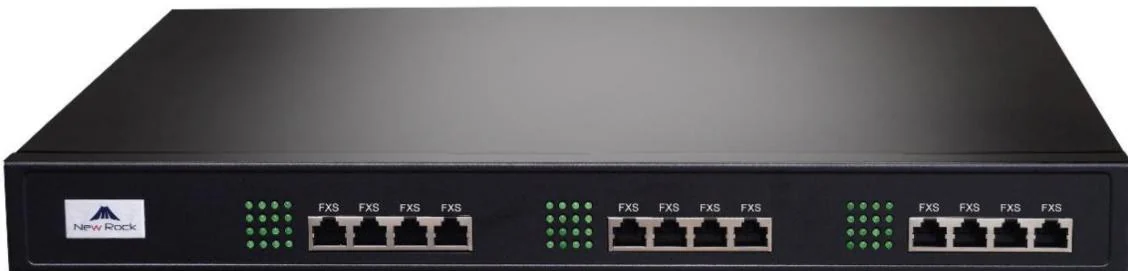
The pair in the wall was probably installed for an analog telephone in the first place, which means a third route exists and is often the cheapest of the three: leave the handset analog and put the port on the PBX. This platform publishes analog capacity of up to 4 ports on the OM20G, up to 12 on the OM50G, up to 48 on the OM80E and up to 96 on the OM200G.
| Route | What the position gets | The catch |
|---|---|---|
| New structured cabling | A conventional PoE IP phone, and any endpoint in the range | The cost and disruption of the cabling itself |
| 2-wire retrofit | An IP phone on the existing pair, with network and power | 300 m for network plus power, or 1600 m network-only; device counts per switch |
| Keep the position analog | An analog extension on the existing pair - same dial plan, same five call-permission levels | Capped by the analog port count, and analog extensions do not encrypt: SRTP applies to IP extensions only |
Two rules from the documentation apply to the analog route. Analog extensions have features IP extensions do not - distinctive ringing, for example - and IP extensions have features analog cannot carry, such as SRTP and voicemail subscription. And a live line must never be connected to an FXS port: the manual warns explicitly that an analog trunk pair or a PBX extension line will damage the port.
Survey before quotation — what should you know?
A two-core pair is not the same thing as a usable two-core pair, and the difference is found with a meter rather than an assumption.
- Continuity and pair count. How many cores actually arrive, and whether they are all intact end to end.
- Distance, measured. The route matters as much as the straight line - a run that goes up a riser and back down is longer than the plan suggests.
- Where the switch or converter lives. Both need a supply: the converter takes AC 100-240 V locally, the switches carry built-in supplies, so the equipment position has to be somewhere an electrician can reach.
- Device count per run. One phone on a pair is a converter; eight or twenty-four devices on a floor is a switch with a cascade.
- Whether the far end needs power at all. A device with its own supply changes the distance budget completely.
A phased retrofit
- Start with one floor or one wing. Prove the pair quality, the distance and the power on a small run before committing the building.
- Convert the positions that need IP features first - anywhere that wants a screen, a service key set, or a number that should be reachable over the network.
- Leave the rest analog until the port count forces the issue, and renumber them into the same extension block so the dial plan does not show the join.
- Keep the analog ports for the devices that must never stop - a lift, a fax, an alarm dialler - whatever else is converted.
Send us the pair count per position, the measured distances, the device count at each far end and whether power has to travel. Those four answers choose between a converter, a switch and a port on the PBX, and they do it before anyone quotes a cable pull.