
Reference configuration · Small office
Small office — a 50-extension reference configuration
A complete equipment list for a one-site office of up to 50 extensions: a desktop IP PBX with 62 SIP trunks, 42 SIP desk phones and eight analog ports kept for fax machines and handsets that are already on the wall. The list is complete enough to hand to a contractor.
- Extensions: 42 SIP devices plus 8 analog ports, 50 in total
- PBX: OM50G-8S/4 — 8 FXS and 4 FXO in one desktop chassis, 62 SIP trunks
- Four existing analog lines stay in use, and a failed SIP call can fall back to one of them
- Desk phones: 32 × X303G and 6 × V64, both dual gigabit with integrated PoE
- Paging: 2 × A212 wall speakers, on a system that states up to 20 multicast zones
- A reference design built from published capacities — not a named installation

This is a reference design prepared from the product datasheets, not a record of a named customer installation.
Design parameters — what should you know?
- Site type
- Single site, one or two floors
- Extensions
- 50 — 42 SIP and 8 analog
- IP PBX
- OM50G-8S/4 — 8 FXS + 4 FXO
- SIP trunks
- 8 configured; 62 available
- Concurrent calls
- Up to 120 per trunk
- Recording
- Local 16 GB and to a recording server
Equipment list for this design — what should you know?
| Item | Model | Qty | Note |
|---|---|---|---|
| IP PBX | OM50G-8S/4 | 1 | Eight FXS and four FXO ports in one box; 62 SIP trunks; local and remote recording; built-in OpenVPN client |
| Desk phone, staff | X303G | 32 | Four SIP lines, 2.4-inch colour screen, dual gigabit ports, integrated PoE |
| Desk phone, manager | V64 | 6 | Twelve SIP lines, 3.5-inch colour LCD, dual gigabit ports, integrated PoE |
| Reception console | X210i | 1 | Twenty SIP lines and 106 DSS keys for busy-lamp fields; gooseneck microphone; PoE |
| Portable Wi-Fi handset | W611W | 3 | For staff who move between floors; 2.4-inch screen, up to 16 DSS keys, one configurable PTT key |
| SIP wall speaker | A212 | 2 | Wall-mounted paging dialled from any extension; up to 15 W class D output; up to 20 multicast zones |
| Analog extension ports | OM50G-8S/4 FXS | 8 | Six existing analog phones and two fax machines; fax runs as T.38 or G.711 pass-through |
| Analog line ports | OM50G-8S/4 FXO | 4 | Four PSTN lines; outbound SIP calls can fall back to an analog line when the trunk times out or returns 4xx/5xx/6xx |
| PoE access switch | Customer network hardware | 2 | 24-port PoE units sized to the 39 desk phones, the 2 speakers and spare ports |
Why the OM50G for 50 extensions — what should you know?
The number that decides the model is the trunk count, because the product manual does not publish a maximum number of IP extensions for any model in the range. The OM50G carries 62 SIP trunks, so a 50-extension office sits inside its published capacity, and each trunk supports up to 120 concurrent calls.
- 50 extensions against 62 SIP trunks leaves headroom for a sales line or a second site calling in
- Three interface-card slots mean the port mix can grow without replacing the box
- The 8S/4 variant keeps eight analog extension ports and four analog line ports at the same time
- Local recording is available on this model — the OM80E and larger record to a server only
This is a reference design prepared from the product datasheets, not a record of a named customer installation.
Where analog stays, and why — what should you know?
Analog ports are not nostalgia in a small office; they are three specific jobs that SIP does badly or expensively.
- Fax machines: a fax connects to an FXS port and runs as T.38 or G.711 pass-through
- Existing handsets: phones already on the wall keep working on the FXS ports, with no adapter per phone
- Escape route: the four FXO ports hold the PSTN lines, and a failed outbound SIP call can be re-routed to one automatically
- Smart trunk selection can send local calls over the analog lines and long distance over SIP
What this design assumes — what should you know?
- Voice runs over the existing LAN; the PBX uses RTP ports 10010–10266 by default, so the switch uplinks and any firewall must allow that range
- IP phones register to the PBX on port 5060 by default; the registration port can be changed, but the phones must be changed with it
- Paging speakers are dialled as normal calls to their extension numbers
- Switches, cabling and any internet router are site-supplied; the material names a PoE switch as one of the three things a deployment needs, beside the PBX and the phones
Extension numbers start at 200 by default, and the analog line dialling delay on this model defaults to 1000.
Frequently asked questions
Can the OM50G really run 50 extensions?
Why the 8S/4 variant rather than 12 FXS?
Does the list include switches and cabling?
Where do the recordings go?
Explore Products
Related products
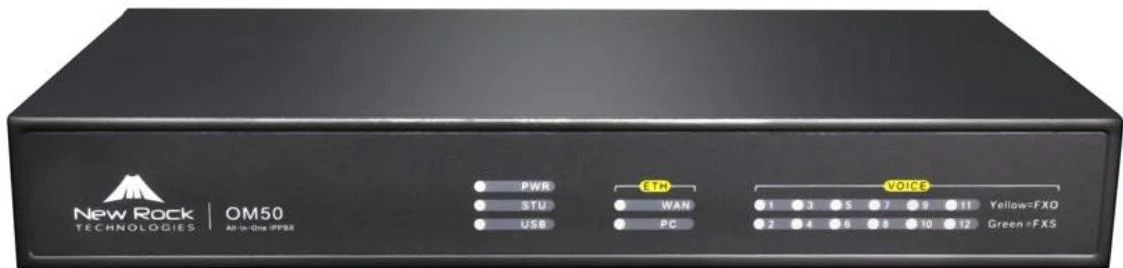
OM50G
Three interface cards and 62 SIP trunks for offices that keep their analog lines.
- Up to 12 analog ports
- 62 SIP trunks
- Local + remote recording
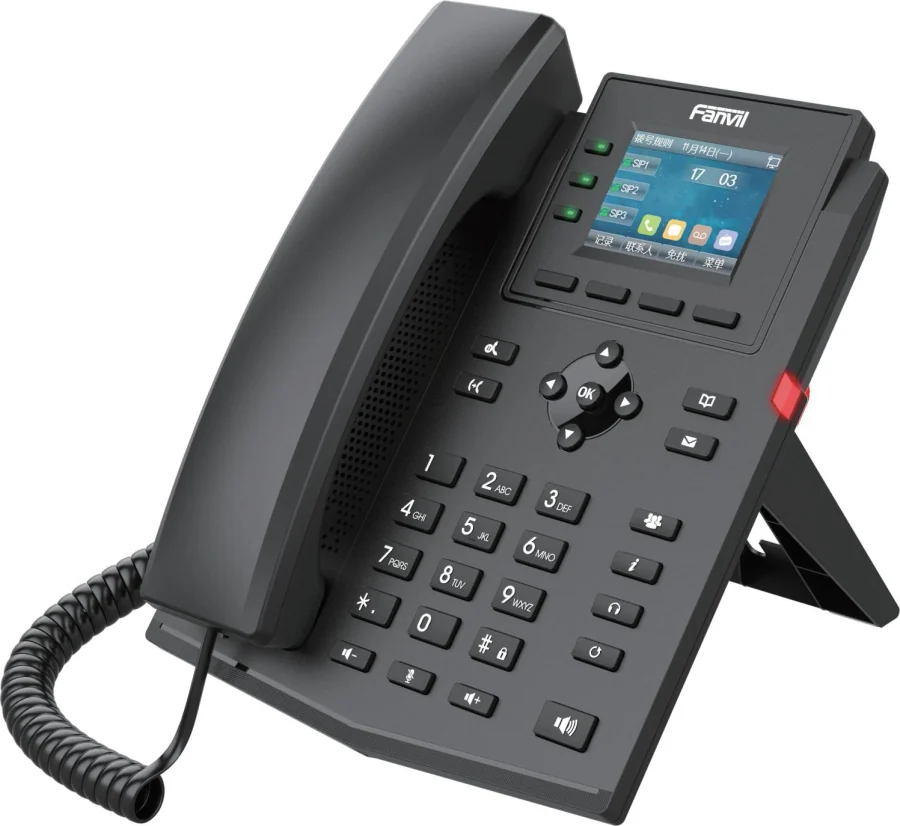
X303G
Four-line X300 phone with Gigabit ports, PoE and a colour screen.
- 4 SIP lines
- 2.4-inch colour screen
- Dual Gigabit + PoE
W611W
An IP67 Wi-Fi 6 handset for staff who carry a phone all shift.
- IP67 rated
- Wi-Fi 6 dual band
- 9 h talk / 200 h standby
A212
Wall speaker with 15 W class D output, talkback and alarm linkage.
- 8 Ω, max 15 W
- PoE 8 W / PoE+ 15 W
- Up to 20 zones
Planning an IP telephony project?
Send us the site type, the number of extensions or rooms and the areas to cover — we will come back with a configuration and quotation.
Send the site details
Six facts build a configuration: site type, extensions or rooms, simultaneous calls, areas to cover, existing lines and the documents you already hold. Send as many as you know — nothing has to be final before the first reply.
- Reply within one working day
- Configuration + quotation for your site
- Your details are used only to answer this inquiry
Page author: NEXVIA EngineeringPublished: Last updated: