
Reference configuration · Campus PA and emergency broadcast
Campus public address — reference configuration
A campus broadcast design built on the three tiers the public-address material prints: 70 SIP speakers across 14 zones, two gateways that bring the existing analog horn lines onto the network, ten emergency intercom points, and dispatch consoles that hold the platform themselves at the Lite tier.
- Zones: 14 across three buildings and the outdoor areas
- Speakers: 70 — A201 and FH-S01 ceiling, A212 wall, A233 horns outdoors
- Legacy lines: two PA3 gateways bring existing analog speaker runs onto the network
- Emergency points: ten — six A12V outdoors and four i16SV indoors
- Dispatch: one A330i in the control room, two A308i in the guard room and duty office
- Up to 20 multicast zones with prioritisation is the stated capability of the speaker models
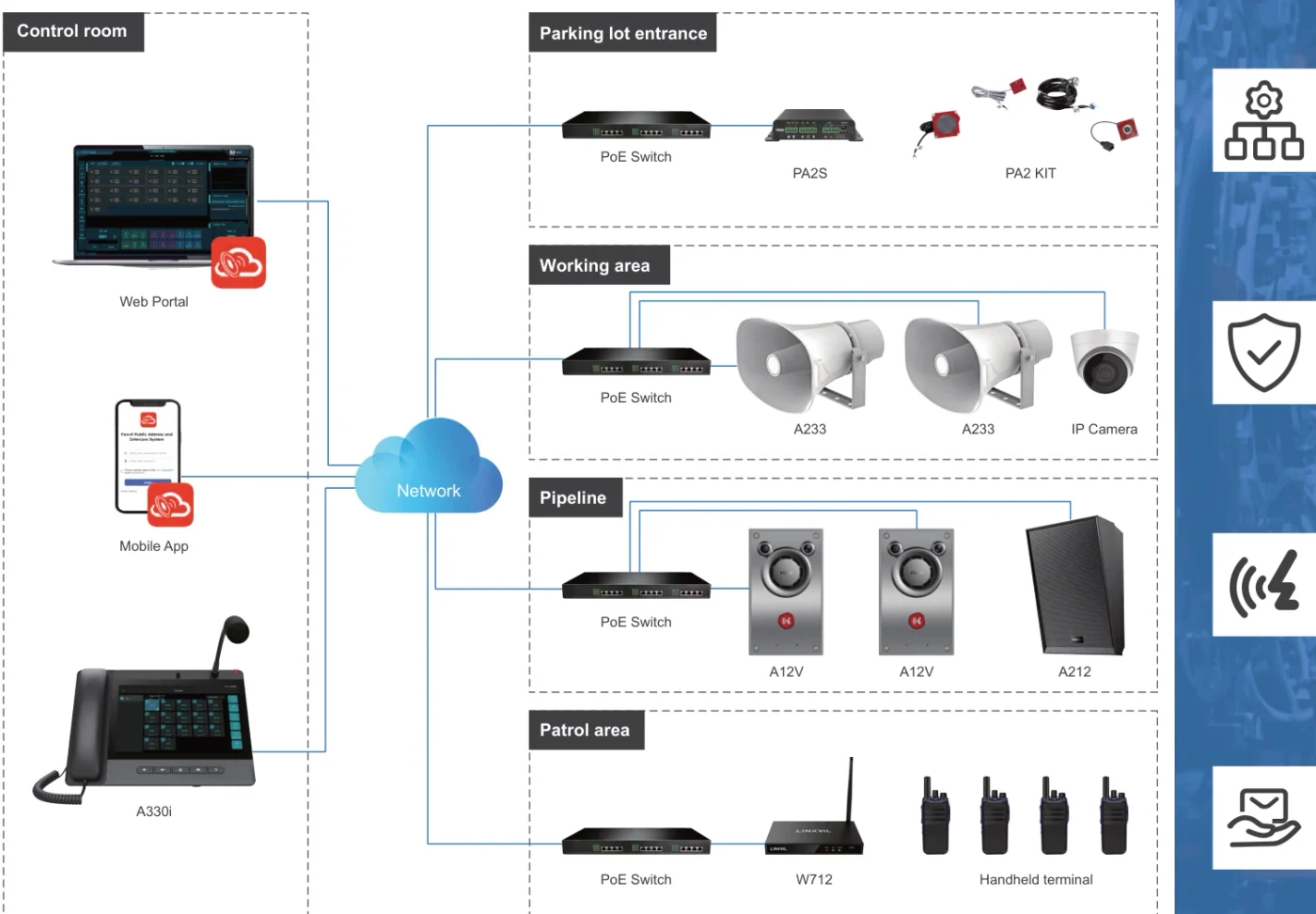
This is a reference design prepared from the product datasheets, not a record of a named customer installation.
Design parameters — what should you know?
- Buildings and areas
- Three buildings plus outdoor areas
- Zones
- 14
- SIP speakers
- 70 across four models
- Emergency intercom points
- 10 — six outdoor, four indoor
- Dispatch consoles
- 3 — one A330i and two A308i
- Analog lines bridged
- 2 × PA3 gateways, two SIP lines each
Equipment list for this design — what should you know?
| Item | Model | Qty | Note |
|---|---|---|---|
| Dispatch console, control room | A330i | 1 | Android 14 console with a 10.1-inch touch screen, 116 DSS keys, 92 dB speaker, 8 short-circuit inputs, 1 output and an RS-485 port; built-in broadcast system |
| Dispatch console, guard room and duty office | A308i | 2 | 7-inch touch console, 20 SIP lines, 116 DSS keys, 90 dB speaker, PoE |
| SIP ceiling speaker, teaching buildings | A201 | 36 | Classroom and corridor coverage; built-in microphone for self-test, monitoring and two-way voice; up to 20 multicast zones |
| SIP wall speaker, corridors | A212 | 18 | Wall positions where the sound has to be aimed; up to 15 W class D output, PoE 8 W or PoE+ 15 W, talkback |
| SIP ceiling speaker, hall and canteen | FH-S01 | 8 | Up to 20 W class D output, PoE IEEE 802.3af; a customisable WAV file for emergency notification and alarm linkage |
| SIP horn speaker, outdoors | A233 | 8 | 30 W rated output, IP66 for the sports field, gate and outdoor walkways; built-in microphone for self-test and two-way voice |
| Paging gateway for legacy lines | PA3 | 2 | Bridges existing analog speaker runs onto the network; two SIP lines each; 10–30 W output into 4 Ω/30 W or 8 Ω/15 W; PoE Class 4 or 12–24 V DC; SOS call key |
| Intercom gateway at outdoor help points | PA2S | 4 | One short-circuit input and one output, one relay, camera support through an external accessory up to 1080p; PoE IEEE 802.3af or 12–24 V DC |
| Outdoor emergency intercom | A12V | 6 | IP66 and IK10, 10 W speaker with AEC, camera with infrared night vision, 2 short-circuit inputs and 2 outputs, −40 °C to 70 °C |
| Indoor emergency intercom | i16SV | 4 | IP65 and IK10, 3 W speaker with AEC, camera with infrared night vision, 2 short-circuit inputs and 2 outputs, −30 °C to 60 °C |
| Radio-over-IP gateway (optional) | W712 | 1 | Links one analog or DMR II radio and one SIP call into the system, with group calls between radios and SIP phones; UHF 400–470 MHz; USB and TF storage up to 128 GB |
| PoE access switch | Customer network hardware | 8 | Twenty-four-port PoE units for the speakers, intercom points and gateways, PoE+ where a zone has to hit full output on the A212; one per building area plus the outdoor run |
Three tiers, and which one this design stands on — what should you know?
The public-address material prints three tiers, and they differ in where the platform lives rather than in the endpoints.
- This campus design is built on the Lite and IP endpoint tiers: the dispatch consoles hold the platform, and every zone device is an endpoint
- Terminals can be scanned and provisioned automatically by the A330i, A320i and A308i consoles
- The Advanced tier is the upgrade path when the site needs multi-site management, text-to-speech and scheduled broadcast templates
The three printed tiers
| Tier | Platform | Stated character |
|---|---|---|
| Advanced PA and intercom | Cloud or on-premise B/S server, multi-site | Large deployments: dynamic zone control, remote volume adjustment, real-time text-to-speech, digital map, audio archiving, app control and alerts |
| Lite PA and intercom | The console itself — no dedicated server | SMB and campus: auto terminal provisioning, plug-and-play, SIP hotspot, zone and media management from a 10.1-inch screen |
| IP endpoint | Any standard SIP platform | SIP-compatible endpoints that bridge legacy analog cabling, with short-circuit linkage, PoE and ONVIF |
This is a reference design prepared from the product datasheets, not a record of a named customer installation.
Zones, priority and the emergency path — what should you know?
The speaker models in this range all state support for up to 20 multicast zones with prioritisation, which is the ceiling this design works inside: fourteen zones across three buildings and the grounds.
- The deck states one-click emergency broadcast and zoned paging as core functions of the system
- Emergency intercom points carry short-circuit inputs, so an alarm button can trigger the call and a strobe at the same time
- A212 and FH-S01 take a customisable WAV file for emergency notification, and A212 alarms can be linked to security devices
- ONVIF is stated for the intercom and broadcast terminals, so events can be tied to a VMS and, in the Advanced tier, to AI camera rules that trigger pre-recorded broadcasts
Zone and speaker schedule
| Area | Zones | Speaker | Qty |
|---|---|---|---|
| Teaching building A | 4 | A201 ceiling — classrooms and corridors | 24 |
| Teaching building B | 2 | A201 ceiling — classrooms and corridors | 12 |
| Teaching buildings A and B | 3 | A212 wall — corridor runs | 18 |
| Hall and canteen | 2 | FH-S01 ceiling | 8 |
| Sports field and gate | 2 | A233 horn — IP66, 30 W | 6 |
| Outdoor walkways and gate | 1 | A233 horn — IP66, 30 W | 2 |
Priority behaviour between zones is configured in the platform; confirm the priority table for your own evacuation plan on the quotation.
Bridging what is already on the wall — what should you know?
- The IP endpoint tier is explicitly built to connect legacy paging systems to an IP environment, as a full IP or hybrid solution
- A PA3 gateway takes the page from the network and drives the existing passive speakers or an amplifier through its line output
- The PA2S adds a relay and short-circuit contacts, which is what an outdoor help point needs for a gate or a light
- PA3 also takes an SOS call key, a line input and a USB or TF card for offline audio playback
- Where a camera has to see the help point, the PA2S supports an external camera through an accessory, up to 1080p
- A330i and A320i consoles scan and add the terminals automatically, so existing runs are re-labelled rather than re-cabled
The materials do not name a server model for the Advanced tier; the cloud or on-premise platform is confirmed on the quotation.
Frequently asked questions
Can the campus keep its existing horn speakers?
How many zones can the system handle?
Does this design need a server?
Does it tie into the CCTV system?
Explore Products
Related products
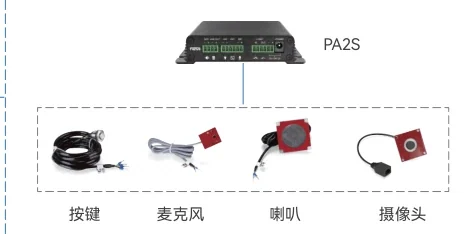
PA2S
SIP paging and intercom gateway with PoE, call key and external speaker output.
- 10–30 W mono output
- PoE IEEE 802.3af
- 1 in / 1 out contacts
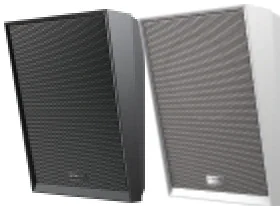
A212
Wall speaker with 15 W class D output, talkback and alarm linkage.
- 8 Ω, max 15 W
- PoE 8 W / PoE+ 15 W
- Up to 20 zones
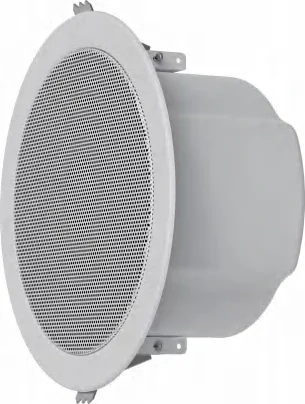
A201
Ceiling speaker for indoor zones, with two-way voice and a built-in microphone.
- Up to 20 multicast zones
- PoE & PoE+ & DC
- G.722 & Opus
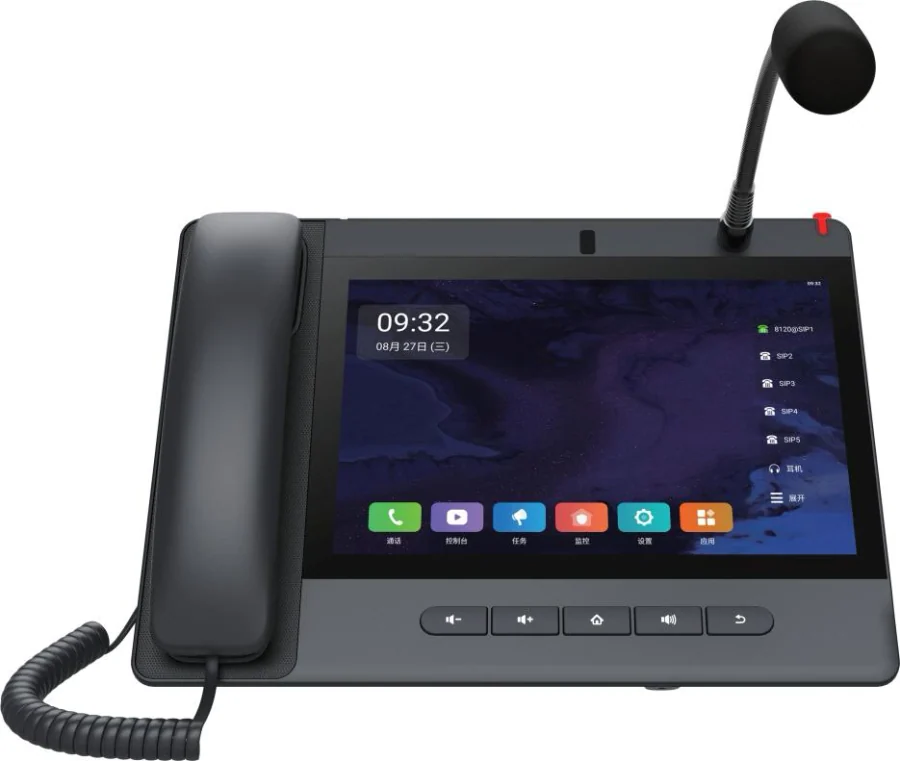
A330i
Android 14 console with 116 DSS keys and RS-485 control inputs.
- Android 14
- 10.1" touchscreen
- 116 DSS keys
Planning an IP telephony project?
Send us the site type, the number of extensions or rooms and the areas to cover — we will come back with a configuration and quotation.
Send the site details
Six facts build a configuration: site type, extensions or rooms, simultaneous calls, areas to cover, existing lines and the documents you already hold. Send as many as you know — nothing has to be final before the first reply.
- Reply within one working day
- Configuration + quotation for your site
- Your details are used only to answer this inquiry
Page author: NEXVIA EngineeringPublished: Last updated: