
Care range · bathroom call point
KT30 bathroom pull cord — wireless IP65 emergency cord button
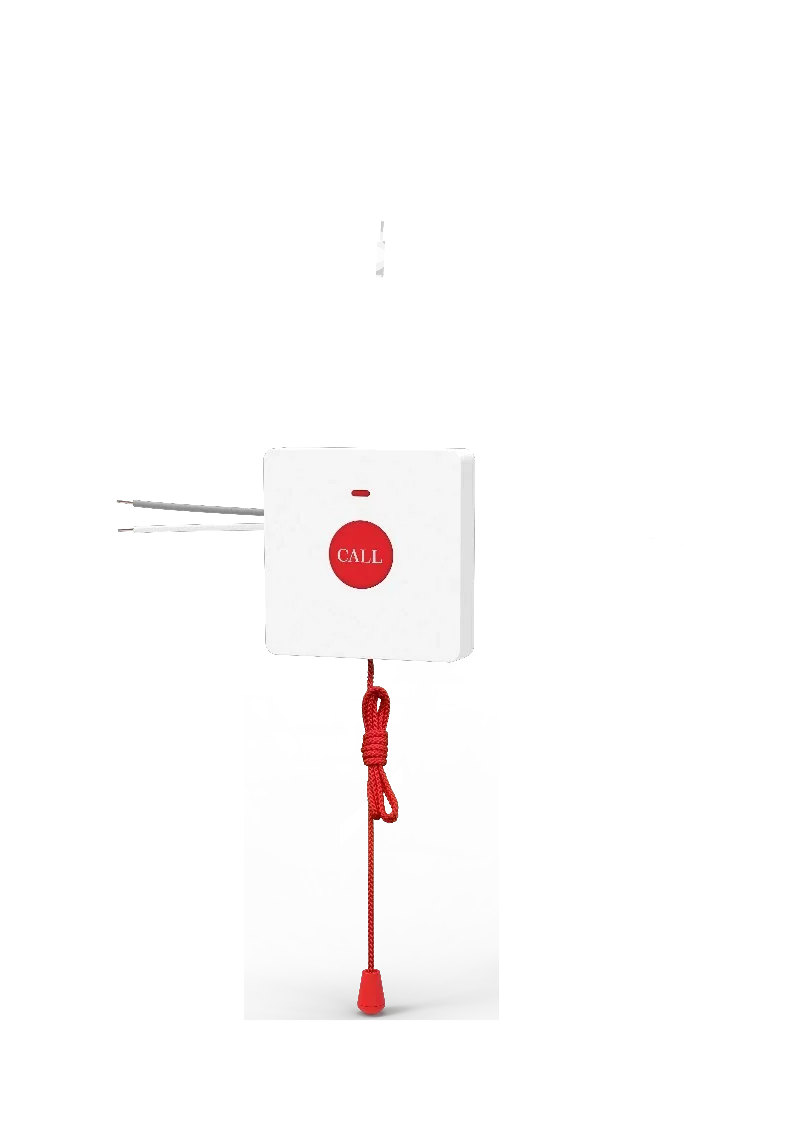
The wireless bathroom call point of the range: a 2 m pull cord rated IP65, radio-linked to an X305 phone or a Y501 series bedside station, so the call point can be reached from floor level.
- Bathroom wireless emergency pull-cord button with a 2 m cord
- Protection level IP65, so it suits a wet room
- 433 MHz radio link with a working range of 6–25 m
- Battery inside the unit — no data cable has to be run into the bathroom
- Works with the X305 big-button phone and the Y501 series bedside intercom
- Counted in the ward plans as the bathroom call point on every bedroom
A call that can be reached from the floor
In the bathroom the call has to be reachable without standing up, which is what the 2 m pull cord is for. The button raises the toilet or bathroom emergency call through its host station in the room.
- 2 m pull cord, wall or pull-cord mounted
- Call type: toilet / bathroom emergency call
- Quick-flash indication, so the call is visually distinct from a routine call
- The console pushes the room and call status to the corridor display
The ward plan of the deck puts a KT30 or KT31 button in every bedroom of its two sized configurations.
Wireless, so nothing is run into the bathroom
- 433 MHz operating frequency
- Working range 6–25 m
- Battery inside the unit
- Works with the X305 big-button phone and the Y501 series bedside intercom
- Protection level IP65
Battery type and battery life are not stated in the source materials, so we do not publish figures for them.
Wireless or wired — the two bathroom options
The range carries both kinds of bathroom button so the choice can follow the building rather than the other way round: KT30 is wireless, and KT31 is wired and needs no power of its own.
- KT30 — wireless, battery inside, IP65, 2 m pull cord, works with X305 and the Y501 series
- KT31 — wired, no power needed, IP44, 2 m pull cord, works with the Y501 series
- Both carry a 2 m pull cord and both raise the toilet / bathroom emergency call
Where it fits on site
En-suite bathroom in a care room
The cord hangs where it can be reached from the floor, and the call arrives at the nurse station like any other.
Nursing home bedroom plan
The deck counts one bathroom button per bedroom — 70 of them in its 70-bedroom nursing-home configuration.
Room with no spare cable run
Because the link is radio, no new cabling has to be taken into the bathroom.
Specifications
Radio & power
| Frequency | 433 MHz |
|---|---|
| Working range | 6–25 m |
| Power | Battery inside the unit |
| Host devices | X305 big-button phone, Y501 series intercom |
| SIP | Not applicable — the button calls through its host station |
Protection & mounting
| Protection level | IP65 |
|---|---|
| Mounting | Wall / pull-cord |
| Pull cord | 2 m |
| Call type | Toilet / bathroom emergency call |
| Battery type & life | Not stated in the source materials |
iSpecifications are taken from the care solution deck and the product guide for this range. IP65 is the protection rating stated for this button. Battery type and life, dimensions, weight and mounting height are not stated for this model.
Choosing between options
| Model | Specifications |
|---|---|
| KT10 | 433 MHz · 6–25 m range · Self-powered, no battery · Up to 10 per station |
| KT30 | IP65 · 2 m pull cord · 433 MHz · 6–25 m range |
| KT31 | IP44 · 2 m pull cord · No power needed · Y501 series host |
| X305 | 3.5" 320×240 screen · Braille digit keys · 4 speed-dial keys · Dual gigabit + PoE |
| X306 | 3.5" 320×240 LCD · Wi-Fi 6 dual-band · Bluetooth 5.0 · Braille digit keys |
| A308i | 7" 1024×600 · 20 SIP lines · 116 DSS keys · 90 dB speaker |
| A320i | 10.1" touchscreen · 20 SIP lines · 116 DSS keys · Up to 100 devices |
| A330i | Android 14 · 10.1" touchscreen · 116 DSS keys · 8 in / 1 out + RS-485 |
| A308 | 7" 1024×600 · 5 MP camera · Android 9.0 · Gigabit port |
Compatibility boundaries
This model uses standard SIP and the interfaces listed in the specification table. Confirm the PBX, SIP provider or platform against those interface notes before the order; where the documentation does not state a value, the table records it as not stated rather than estimating. PoE, analog port variants, power options and card compatibility are fixed at order time.
Handover, spares and support
Extension plan, provisioning and interface language can be prepared before dispatch. Remote support continues after handover. Spare-part, warranty and service terms are confirmed in the quotation for the models and quantity ordered, so they are not printed as a single figure here.
Where it sits in the system
Frequently asked questions
Does the KT30 need power in the bathroom?
How far can the pull cord be from the host station?
Which phones does it work with?
What does the call look like at the nurse station?
Standards referenced
Explore Products
Related products
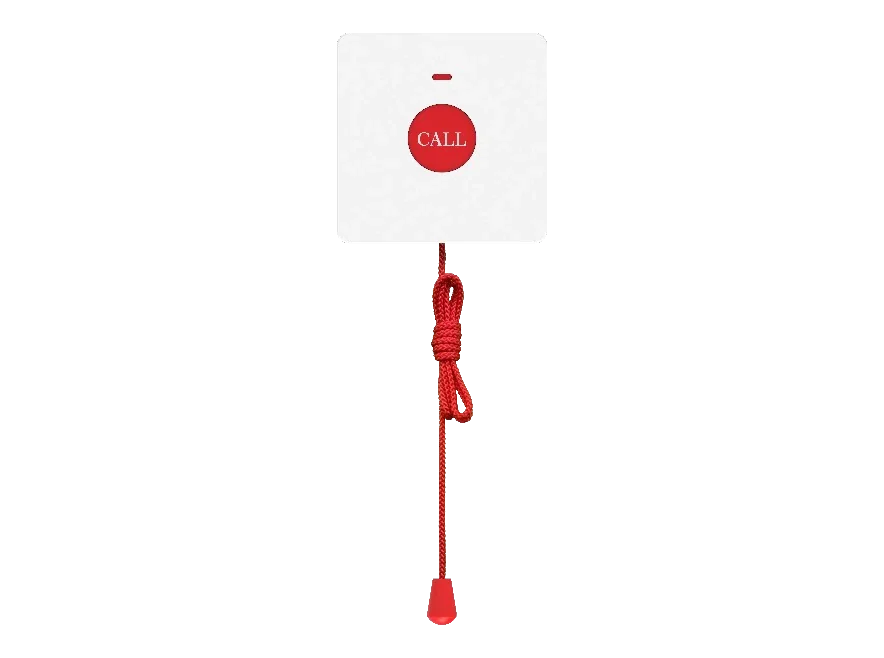
KT31
Wired bathroom call point — no power needed, 2 m pull cord, IP44.
- IP44
- 2 m pull cord
- No power needed
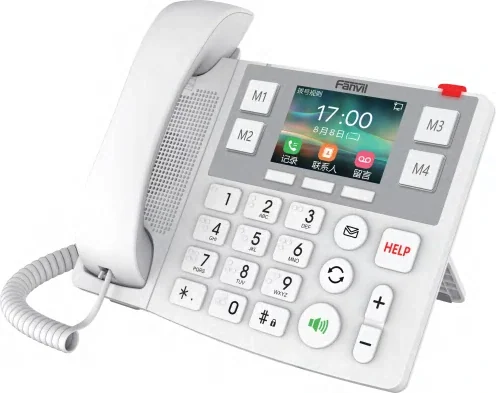
X305
Big-button care phone with Braille digits, picture keys and a HELP button.
- 3.5" 320×240 screen
- Braille digit keys
- 4 speed-dial keys
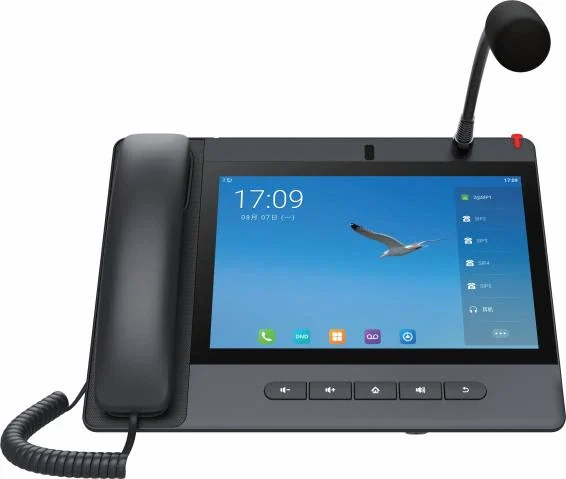
A320i
Android nurse console that answers ward calls and drives the corridor display.
- 10.1" touchscreen
- 20 SIP lines
- 116 DSS keys
Planning an IP telephony project?
Send us the site type, the number of extensions or rooms and the areas to cover — we will come back with a configuration and quotation.
Send the site details
Six facts build a configuration: site type, extensions or rooms, simultaneous calls, areas to cover, existing lines and the documents you already hold. Send as many as you know — nothing has to be final before the first reply.
- Reply within one working day
- Configuration + quotation for your site
- Your details are used only to answer this inquiry
Page author: NEXVIA EngineeringPublished: Last updated: